DJI Mini 4 Pro: Tiny Drone, Big Fun!

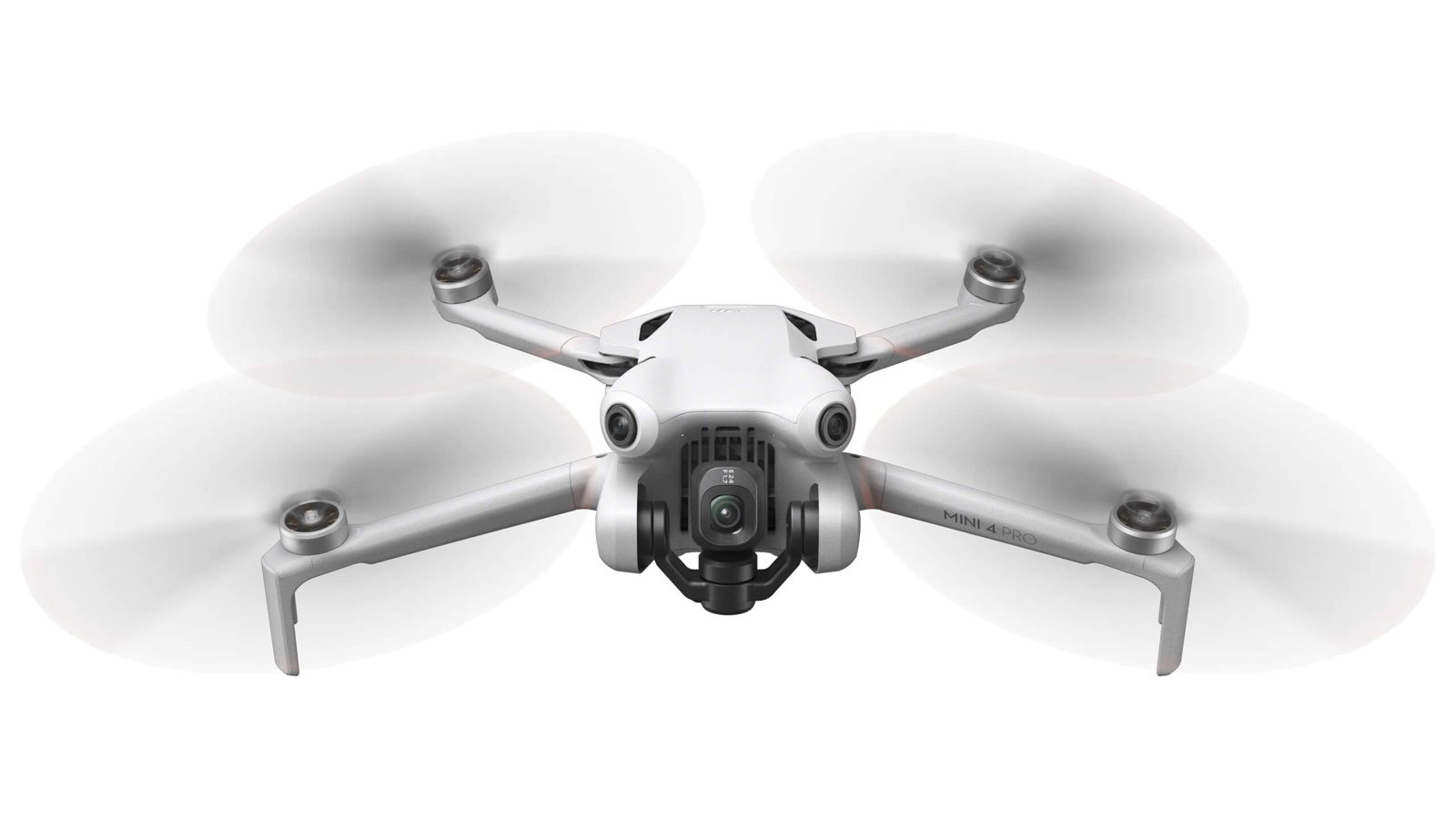
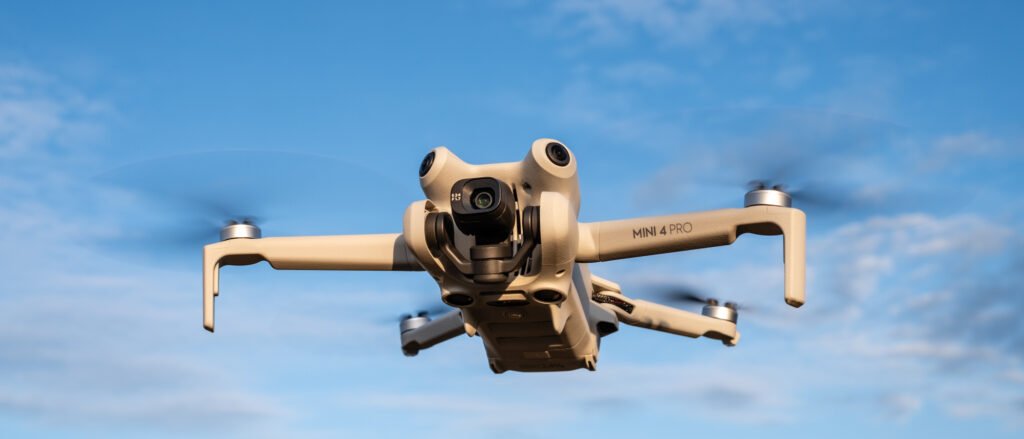
So, I got my hands on the DJI Mini 4 Pro, and honestly, I was a bit skeptical at first. You know, another tiny drone. But this thing? It’s surprisingly capable. It’s small enough to take pretty much anywhere, but it packs a punch when it comes to what it can do. If you’re looking for something that’s easy to fly and can capture some really good shots without breaking the bank, you might want to check this one out. It’s definitely given me some fun flying it around.
Key Takeaways
- The DJI Mini 4 Pro has a really good camera that shoots sharp 48MP photos and clear 4K video, even in slow motion.
- It’s pretty smart with its obstacle sensing, meaning it can see and avoid things in different directions, which is nice for peace of mind.
- The video transmission system, called O4, works really well, giving you a solid connection and a good view from far away.
- It comes with handy intelligent flight modes that make capturing cool shots easier, like tracking subjects or flying pre-set paths.
- While it’s not the cheapest option, the DJI Mini 4 Pro offers a solid mix of features and performance for people who want more than a basic drone but don’t need the absolute top-of-the-line.
DJI Mini 4 Pro: A Compact Powerhouse
Exceptional Camera Capabilities
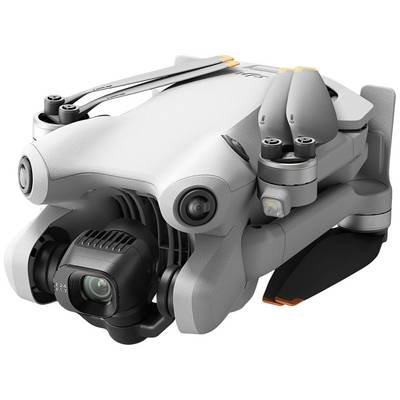
The DJI Mini 4 Pro packs a serious punch when it comes to its camera, making it a top choice for anyone interested in a DJI drone for aerial photography. It features a 1/1.3-inch CMOS sensor that captures stunning 48MP photos and crisp 4K HDR video at up to 60 frames per second. What really sets it apart, though, is its ability to shoot 4K video at a super-smooth 100fps, perfect for those dramatic slow-motion shots. This is a big deal for the Mini series, offering professional-looking footage without the professional-sized drone. The image quality is seriously impressive for such a small device.
Advanced Obstacle Avoidance
One of the most significant upgrades on the Mini 4 Pro is its all-around obstacle sensing. Unlike older models that might only look forward or down, this drone has sensors covering all directions. This means it’s much better at spotting and avoiding things like trees, buildings, or even that rogue bird that decides to fly by. It makes flying feel a lot safer, especially if you’re still getting the hang of things or flying in tricky environments. It’s a huge step up for drone safety and confidence.
Superior Transmission System
When you’re flying a drone, having a clear and stable video feed is super important. The Mini 4 Pro uses DJI’s O4 transmission system, which is a big upgrade. It gives you a reliable connection with a seriously long range, up to 20 kilometers (that’s about 12.4 miles). This means you can fly further away from yourself and still get a clear view of what the drone sees on your controller screen. It’s a game-changer for exploring and getting those expansive shots, making it one of the best compact drones for travel.
Unlocking Creative Potential With The DJI Mini 4 Pro
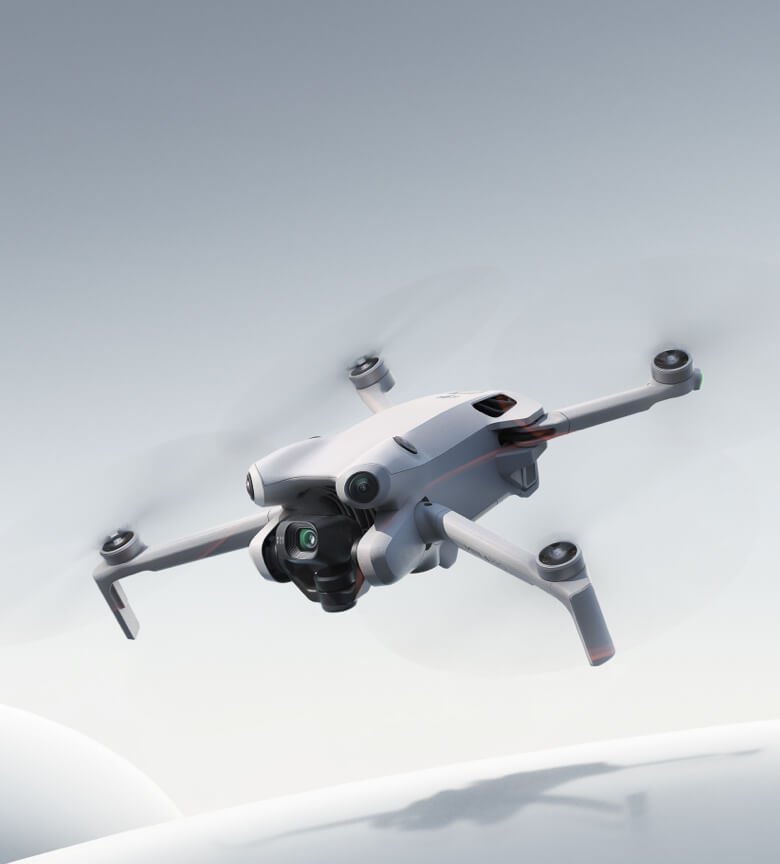
The DJI Mini 4 Pro isn’t just about capturing footage; it’s about making that footage truly yours. This little drone packs some serious creative tools that let you experiment and get those shots you’ve been dreaming of. It really opens up a lot of possibilities for anyone looking to step up their aerial videography game.
Intelligent Flight Modes
This drone comes with some pretty neat automated flight features that help you get complex shots without needing to be a pro pilot. Think of them as your co-pilots.
- ActiveTrack 360°: This is a big one. You can select a subject, and the drone will follow it, but now with a 360-degree view. You can even draw a path on the screen for it to follow around the subject, making for really dynamic tracking shots. It’s great for following a cyclist on a trail or a boat on the water.
- Spotlight 2.0: This mode keeps your subject centered in the frame while you fly the drone freely. It’s perfect for keeping a person or a car in focus during a moving shot.
- Point of Interest 3.0: The drone circles a subject at a set radius and speed, letting you capture a smooth, cinematic orbit. It’s ideal for getting those sweeping shots of landmarks or buildings.
- Waypoints: You can pre-plan flight paths by setting a series of points on the map. The drone will then fly this route automatically, which is fantastic for repeatable shots or complex aerial surveys. This feature is surprisingly advanced for a drone in this size class.
4K Slow-Motion Recording
Want to add a bit of drama or elegance to your videos? The Mini 4 Pro can do that. It’s capable of shooting 4K video at a super-smooth 100 frames per second (fps). This means you can slow down your footage significantly in editing while still maintaining incredible detail and clarity. Imagine capturing the splash of a wave, the blur of a fast car, or the delicate flutter of a bird’s wings in stunning slow motion. It really adds a professional touch to your clips, making them stand out.
True Vertical Shooting
Social media is a huge part of how we share content these days, and vertical video is king. The Mini 4 Pro makes this super easy. Its gimbal can rotate 90 degrees, allowing you to shoot footage in a perfect vertical aspect ratio without any cropping or awkward angles. This is ideal for platforms like TikTok, Instagram Reels, or YouTube Shorts. You get a full, high-resolution vertical frame straight out of the camera, ready to be uploaded. It’s a simple feature, but it saves a lot of hassle if you’re focused on creating content for these platforms. You can get these shots directly from the DJI Mini 4 Pro without needing to edit them later for orientation.
Getting the most out of the Mini 4 Pro involves understanding how its intelligent features work together. The combination of advanced tracking modes and the ability to shoot in high frame rates at 4K resolution means you can create really polished videos. Don’t be afraid to experiment with the different flight modes and shooting options; that’s where the real fun and creativity come in.
DJI Mini 4 Pro Flight Performance And Control
When it comes to actually flying the DJI Mini 4 Pro, it really feels like a step up. The drone is super stable in the air, even when the wind picks up a bit. I was flying it around some hills, and it just held its position like a champ. This drone with obstacle avoidance system really makes flying feel more relaxed, letting you focus on getting the shot.
Stable Flight Characteristics
The Mini 4 Pro boasts some seriously impressive stability. It’s designed to handle various conditions, and in my tests, it lived up to that. Even with moderate winds, it stayed put without me having to constantly adjust. It’s reassuring to have a drone that feels so planted, especially when you’re trying to capture smooth video.
Precise Remote Control
The remote controller, especially the one with the built-in screen (DJI RC 2), feels great in the hand. It’s well-made and gives you really fine-tuned control over the drone’s movements. Every little nudge of the stick translates directly to the drone, which is exactly what you want when you’re trying to get that perfect aerial shot. The O4 transmission system is also a big deal here, providing a clear, lag-free video feed back to the controller, even from a good distance away.
Intuitive DJI Fly App
Controlling the Mini 4 Pro is done through the DJI Fly app, and it’s pretty straightforward. If you’re using the DJI RC 2, the app is already there and ready to go. For smartphone users, you’ll need to download it. The app is where you access all the smart features, flight modes, and camera settings. It’s laid out logically, so you can usually find what you need without too much fuss.
Here are a few things you can do within the app:
- Access intelligent flight modes like FocusTrack.
- Adjust camera settings for photos and videos.
- Check battery status and transmission signal strength.
- Review flight logs and data.
The DJI Fly app is your command center for the Mini 4 Pro. It’s where you’ll manage everything from pre-flight checks to post-flight analysis. While it’s generally user-friendly, taking a few minutes to explore its menus before your first flight can save you time and prevent confusion out in the field. It’s worth noting that the app might not always be available on standard app stores for Android, so checking DJI’s website is a good idea.
DJI Mini 4 Pro: Value And Considerations
Price Point Compared To Other Models
When you look at the DJI Mini 4 Pro, it’s definitely a step up from the entry-level models. It’s not the cheapest drone out there, not by a long shot. If you’re just starting out or only plan to fly occasionally, something like the Mini 4K or even the Mini 3 might make more sense for your wallet.
The Mini 4 Pro sits in a spot where you’re paying for those advanced features, like the better obstacle avoidance and that super stable video transmission. It’s a bit of an investment, for sure, especially when you compare it to drones that cost half as much. But, if you’re serious about getting good footage and want a drone that can do more, the price starts to feel more justified.
Storage And Battery Life
One thing to keep in mind with the Mini 4 Pro is its internal storage. It’s pretty small, only about 2GB. This means you’ll absolutely need to get a good microSD card right away if you plan on doing any real flying. You don’t want to be in the middle of a great shot and run out of space. Battery life is decent, but it’s not the absolute longest in the Mini lineup. You’ll get a good amount of flight time, but if you’re planning on marathon sessions, you might want to pick up an extra battery or two. It’s something to factor into the overall cost and planning.
Ideal User For The DJI Mini 4 Pro
So, who is this drone really for? The DJI Mini 4 Pro is best suited for hobbyists and content creators who need a capable, portable drone without jumping to the absolute top-tier professional models. It hits a sweet spot. You get really good camera quality, advanced flight modes that help you get those dynamic shots, and a transmission system that keeps your feed clear even when you’re a good distance away. It’s not really for someone who just wants to fly around the backyard once a week.
But if you’re looking to make videos for social media, take some impressive aerial photos, or just want a drone that offers a lot of creative control and reliability, the Mini 4 Pro is a solid choice. It’s a good middle ground, offering a lot of what makes the pricier models great, but at a more accessible price point than the absolute best. Looking at reviews of new DJI drones, the Mini 4 Pro often comes up as a strong contender for this middle ground.
When considering the Mini 4 Pro, think about what you actually need. Do you need all those advanced tracking features? Is the absolute longest flight time a must-have? For many, the Mini 4 Pro offers more than enough capability without the premium price of the very top models.
So, Is the Mini 4 Pro Worth It?
Alright, let’s wrap this up. The DJI Mini 4 Pro really does pack a punch for its size. It’s not the absolute top-of-the-line model DJI offers, but honestly, for most people just looking to have some fun and get some really good shots, it hits a sweet spot. You get some pretty advanced features, like the obstacle sensing and that decent camera, without needing to take out a second mortgage.
It flies well, the video transmission is solid, and it’s easy enough to get going. If you’re thinking about stepping up your drone game from a basic model or just want something capable that won’t break the bank like the fanciest options, the Mini 4 Pro is definitely a strong contender. It’s a solid choice for a lot of us out there.
Frequently Asked Questions
What makes the DJI Mini 4 Pro special for its size?
Even though it’s small and light, the Mini 4 Pro packs a punch! It has a really good camera that takes sharp pictures and smooth videos. Plus, it has smart sensors to help it avoid bumping into things, making it safer to fly.
Can this drone take professional-looking videos?
Absolutely! It can shoot videos in super clear 4K quality, and even in slow-motion, which looks really cool. You can also easily turn it to shoot videos straight up and down, perfect for sharing on social media apps.
Is the DJI Mini 4 Pro easy to control?
Yes, it’s designed to be easy to fly. It stays steady in the air, even if there’s a bit of wind. The remote control feels good in your hand, and the app you use on your phone or controller makes flying simple and fun.
How far can the DJI Mini 4 Pro fly and send video back?
This drone has a great system for sending video back to your controller, keeping the picture clear and steady from far away. You can fly it quite a distance, up to about 12 miles (20 kilometers) in good conditions, so you can explore a lot.
Does the Mini 4 Pro have obstacle avoidance?
Yes, it does! It has sensors all around it that help it see and avoid obstacles. This means it’s less likely to crash, which is great for both beginners and experienced pilots.
Is the DJI Mini 4 Pro good for beginners?
It’s a great choice if you’re looking for a drone that’s not too complicated but still has awesome features. While it has advanced capabilities, its easy-to-use controls and obstacle avoidance make it accessible for newcomers who want to capture great footage.
For full specs, bundles, and pricing, check out the official DJI Mini 4 Pro page on DJI’s website.