Your Essential Guide: How to Register a Drone in 2026

Flying a drone can feel like unlocking a new way to see the world. Suddenly, you’re not just looking at things; you’re exploring from a whole new angle, kind of like a bird. But before you take off on your adventures, there’s a simple but important step every pilot needs to complete to keep the skies safe and open for everyone: registering your drone. It’s not just about following rules; it’s about making sure our shared hobby stays legitimate and secure. This guide will walk you through how to register a drone, covering everything from figuring out if you need to register to completing the process online. We’ll also touch on drone weights, fees, and what to do after you’re registered.
Key Takeaways
- Most drones weighing over 0.55 lbs (250 grams) need to be registered with the FAA, regardless of whether they’re used for fun or business.
- The FAA registration process is done online through the official FAA DroneZone website, and it’s usually quick.
- Registration costs $5 per drone and is valid for three years for commercial use, or $5 for a fleet of recreational drones.
- Always make sure your drone has its unique FAA registration ID clearly marked on it.
- Be aware of Remote ID requirements, which are mandatory for most drones, and avoid unofficial websites for registration to prevent overpaying or scams.
Understanding Drone Registration Requirements
So, you’ve got a drone, and you’re itching to get it in the air. That’s awesome! But before you take off, there’s a bit of paperwork to sort out. It’s not as complicated as it sounds, and honestly, it’s pretty important for keeping things safe and legal up there. The Federal Aviation Administration (FAA) has some rules about who needs to register their drone, and it mostly comes down to two things: how much your drone weighs and what you’re using it for.
Who Needs to Register a Drone?
This is the big question, right? Generally, if your drone weighs more than 0.55 pounds (that’s about 250 grams) or if you’re flying it for any kind of commercial purpose, you’ll need to register it. If you’re just flying for fun and your drone is super light, you might be in the clear. But always double-check the weight, especially if you’ve added any accessories like a bigger battery or a camera mount. Those little additions can push you over the limit.
Drone Weight Thresholds for Registration
Let’s talk numbers. The magic number here is 250 grams (0.55 lbs). If your drone, fully loaded with battery and anything else you’ve attached, tips the scale at more than this, registration is a must. This applies whether you’re flying for fun or for work. For those flying drones that weigh 55 pounds or more, you can’t use the online system; you’ll need to go through a different, more traditional paper process.
Commercial Versus Recreational Flight Purposes
This is where things get a little more specific. Flying purely for recreation means you’re doing it for enjoyment, like taking cool aerial shots of your neighborhood or a park. But if you plan to use your drone footage for anything that could make you money – think real estate photos, wedding videos, or even a monetized YouTube channel – the FAA considers that commercial use. And here’s the kicker: if you’re flying commercially, the 250-gram weight limit doesn’t apply as an exemption; you must register, no matter how light your drone is. You’ll also need to look into getting a Part 107 certificate for commercial operations. It might seem like a lot, but it’s all about making sure everyone flies safely and responsibly. For drone-based logistics, understanding these rules is key to integrating new technology like AI for navigation [cf65].
Remember, even if your drone is under the weight limit for registration, you still have to follow all other FAA rules. This includes things like passing the TRUST test for recreational flyers and making sure your drone has Remote ID capabilities if required. Registration is just one piece of the puzzle for safe flying.
Navigating the FAA Registration Process
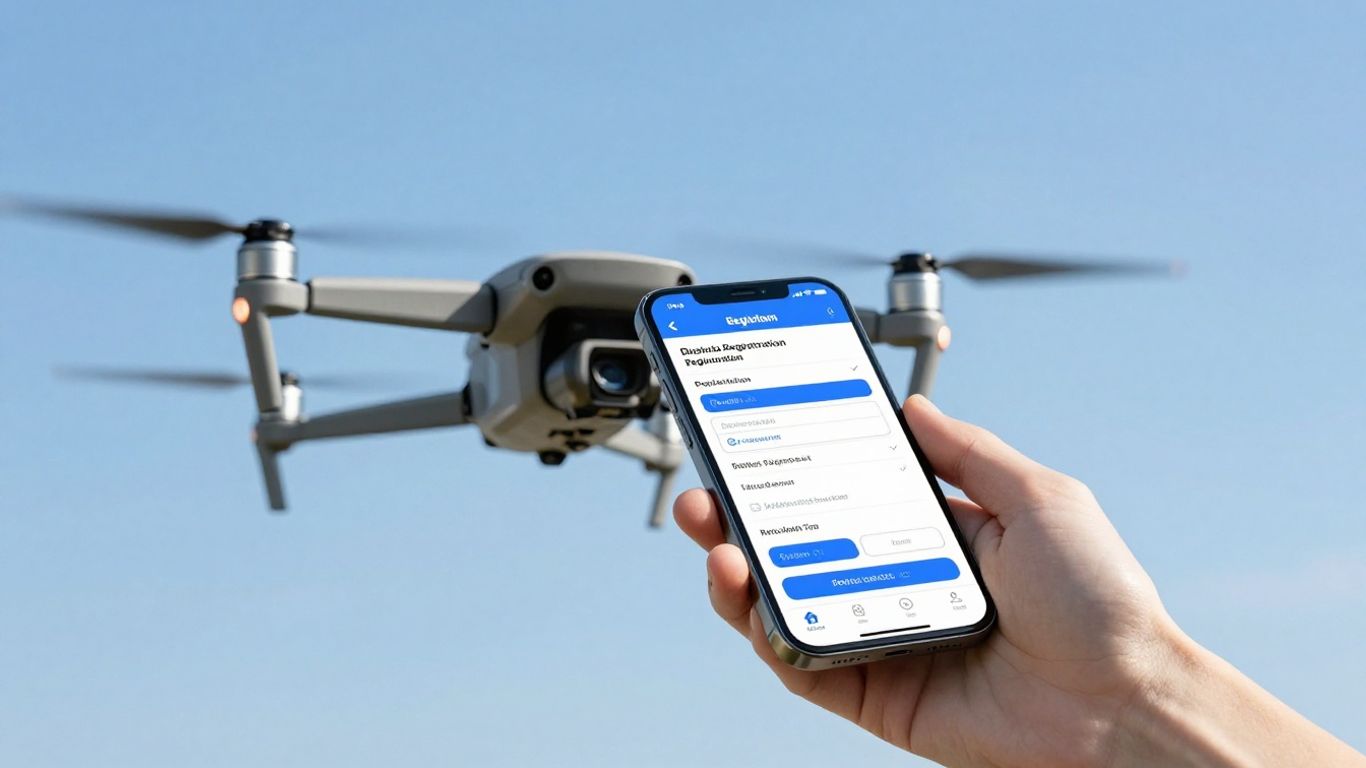
Alright, so you’ve figured out your drone needs to be registered – no sweat. The Federal Aviation Administration (FAA) has made this process pretty straightforward, and you can do it all online. The official place to go is the FAA DroneZone website. Seriously, stick to this site; there are look-alike sites out there that will try to charge you way more than necessary for the same $5 registration.
Gathering Essential Drone Information
Before you even log in, get your drone’s details ready. You’ll need the manufacturer’s name, the specific model name, and, most importantly, the drone’s unique serial number. This number is like the drone’s social security number – it’s how the FAA links your specific aircraft to your account. You can usually find it on the drone itself, in the manual, or sometimes within the drone’s control app settings. Having this handy will make the whole process much quicker. For those interested in the fast-paced world of drone racing, knowing your drone’s specs is just as important for compliance.
Creating Your FAA DroneZone Account
Once you’re on the correct FAA DroneZone site, you’ll need to set up an account. You’ll need a valid email address, your physical address, and a credit or debit card for the fee. It’s a good idea to use a professional-sounding email if you plan on flying commercially, as this account is tied to your FAA records. When you create your account, you’ll choose whether you’re registering as a recreational flyer or under Part 107 for commercial purposes. This choice matters, so pick the right one from the start.
Completing the Online Registration Application
With your account set up and your drone’s info in hand, you’re ready to fill out the application. It usually takes about 15 minutes, give or take. You’ll enter the drone details you gathered earlier. The fee is currently $5 per drone for commercial use, or $5 for a three-year registration that covers all your recreational drones. Once payment is processed, you’ll get a registration certificate and your unique FAA registration number. This number needs to be marked on your drone. Remember, if you’re flying a drone that weighs more than 0.55 lbs (250 grams), registration is a must starting in 2026.
It’s really important to get this right the first time. Double-check all the information you enter, especially the serial number. A small mistake here could mean extra headaches down the road trying to fix it with the FAA.
Here’s a quick rundown of what you’ll need:
- Manufacturer Name
- Drone Model Name
- Drone Serial Number
- Your Contact Information (Address, Email, Phone)
- Payment Method (Credit/Debit Card)
After you submit everything and pay the fee, you’ll get your registration number. Make sure to write this down and then physically put it on your drone. You can use a permanent marker, a label maker, or even a small engraved plate. Just make sure it’s clearly visible on the outside of the aircraft. This is a federal requirement, so don’t skip it!
Key Registration Details and Fees
Alright, so you’ve figured out you need to register your drone. Now let’s talk about what that actually involves, cost-wise and what you get for your money. It’s not super complicated, but there are a few things to keep in mind.
Understanding Registration Costs
First off, it’s not free, but it’s definitely not going to break the bank. For most people, especially those flying for fun, the fee is pretty small. The standard registration fee is $5 per drone, and this covers you for three whole years. That’s a pretty good deal when you think about it. It helps keep the skies safe for everyone. If you’re flying commercially under Part 107 rules, it’s the same $5 fee, but here’s the catch: you have to register each drone individually. So, if you’ve got a whole fleet for your business, those $5 charges add up. For drones weighing over 55 pounds, the process is a bit different and the cost can vary, usually involving a mail-in application.
Registration Validity and Renewal
That $5 registration isn’t a lifetime pass, unfortunately. It’s good for three years from the date you register it. So, you’ll need to keep track of when it expires. It’s a good idea to set a reminder a month or so before it runs out. You can renew it through the same FAA DroneZone website you used to register in the first place. It’s a pretty straightforward process, just like the initial registration. Don’t let it lapse; flying with an expired registration is the same as not being registered at all, and that can lead to some serious trouble.
Minimum Age and Eligibility Criteria
Now, who can actually register a drone? Generally, you need to be at least 13 years old to register a drone yourself. If you’re younger than 13, a parent or legal guardian needs to register the drone for you. This is pretty standard for most online government services. You’ll also need a valid physical address and an email address. For commercial operations, you’ll need to have your Part 107 Remote Pilot Certificate, but the registration itself doesn’t require that specific certification, just the age requirement and contact info. It’s all about making sure someone is accountable for the drone. You can find some affordable accessories to help protect your gear, like propeller guards, which are a smart buy for any pilot under $100.
It’s really important to only use the official FAA DroneZone website for registration. There are a lot of scam sites out there that look real but will charge you way more than the standard $5 fee. Always double-check the web address to make sure it ends in ‘.gov’ and is the correct FAA portal.
Post-Registration Compliance and Best Practices
So, you’ve gone through the steps and registered your drone. Awesome! But that’s not really the end of the story, is it? Think of it like getting your driver’s license; you still have to follow the rules of the road. For drone pilots, this means keeping your registration up-to-date and making sure your drone is properly marked.
Affixing Your Drone’s Unique ID
After you get your registration number from the FAA, you need to put it on your drone. It’s like a license plate for your aircraft. The FAA has specific rules about how and where to put this ID. It needs to be visible and durable, so it doesn’t just peel off after a few flights. Most people use a label maker or a permanent marker. This unique identifier links you directly to the aircraft, so it’s super important.
Maintaining Accurate Registration Records
Keeping your registration details current is a big deal. If you move, get a new phone number, or change your email address, you need to let the FAA know. It’s not just about convenience; it’s about making sure they can reach you if there’s an issue. For commercial operators, this is especially true. You don’t want to miss important updates or notifications from the FAA. It’s a good idea to have a system, maybe a digital folder or a spreadsheet, to keep track of all your drone registrations and renewal dates. This helps avoid any surprises down the line. If you’re running a business, keeping good records is just part of the job, and it makes things much smoother when you need to renew your registration.
Reporting Lost or Sold Drones
What happens if your drone gets lost or you sell it? You can’t just forget about it. The FAA needs to know. If your drone is stolen or crashes and you can’t find it, you should report it. Similarly, if you sell your drone to someone else, you need to update the FAA so the registration is transferred correctly. This usually needs to be done within 10 days of the event. Failing to report these changes can lead to problems, especially if the drone is later used improperly by someone else. It’s a simple step that helps keep the system honest and ensures you aren’t held responsible for a drone that’s no longer yours.
Staying on top of these post-registration tasks might seem like a hassle, but it’s really about responsible drone operation. It protects you, the public, and the airspace we all share. Think of it as part of the commitment you make when you decide to fly.
Here’s a quick rundown of what to do:
- Mark your drone: Clearly display your FAA registration number.
- Update your info: Keep your contact details current with the FAA.
- Report changes: Notify the FAA if you lose or sell your drone.
- Renew on time: Don’t let your registration expire. Set reminders!
Remember, flying a drone commercially often requires more than just registration; you’ll likely need to look into Part 107 certification as well.
Remote ID and Airspace Regulations
Alright, let’s talk about Remote ID and airspace. This is where things get a bit more technical, but it’s super important for flying legally in 2026. Think of Remote ID as your drone’s digital license plate. It requires your drone to broadcast its identity and location while it’s flying. If your drone needs FAA registration, then Remote ID compliance is a must, unless you’re flying in a special FAA-Recognized Identification Area (FRIA).
What is Remote ID and Why It Matters
Basically, Remote ID is a rule that makes drones broadcast information like their serial number, location, and altitude. This helps the FAA and law enforcement know who is flying what, where, and when. It’s a big step for safety and security in our skies. The FAA has been pretty clear that enforcement is fully active, so ignoring it can lead to fines. It’s not just for hobbyists either; if you’re doing anything from roof inspections [bf2f] to real estate photography, you need to be compliant.
There are a few ways to meet the Remote ID requirement:
- Standard Remote ID Drone: These drones have the broadcast capability built right in.
- Remote ID Broadcast Module: You can attach a module to a drone that doesn’t have it built-in.
- Fly in an FAA-Recognized Identification Area (FRIA): These are specific areas where the Remote ID rule doesn’t apply.
Ensuring Remote ID Compliance
So, how do you make sure your drone is compliant? First, check if your drone model is designed with Remote ID capabilities. Many newer drones are. If yours isn’t, you’ll need to get a separate broadcast module. You can find more details on the FAA’s specific requirements on their website. It’s really about making sure your drone is broadcasting the right information. The FAA reported that over 1.6 million drones were already compliant by 2025, so it’s becoming the norm.
Staying on top of Remote ID is key. It’s not just about avoiding penalties; it’s about contributing to a safer airspace for everyone. Think of it as part of your pre-flight checklist, just like checking the weather or your battery levels.
Navigating Controlled Airspace Zones
Flying in controlled airspace, like near airports or in busy city centers, requires extra steps. You can’t just fly anywhere. For commercial operations, you’ll likely need to use a system like LAANC (Low Altitude Authorization and Notification Capability) to get authorization before you fly. This system allows you to request airspace access quickly. UAS Facility Maps are also available to help you see where you can and can’t fly. Remember, areas around stadiums, hospitals, and active emergency scenes are often no-fly zones. Violating these rules can lead to serious consequences, including fines and losing your pilot certificate [3c21]. It’s always better to be safe and get the proper clearance.
Avoiding Common Registration Pitfalls
So, you’ve gone through the steps, gathered your info, and you’re ready to fly. That’s great! But before you take off, let’s talk about a few common traps people fall into when registering their drones. Avoiding these little headaches can save you time, money, and a whole lot of trouble.
Beware of Unofficial Third-Party Websites
When you search online for drone registration, you’ll see a lot of links. Some of these look official, but they aren’t. They’re third-party sites that often charge way more than the standard FAA fee. The actual registration cost is pretty low, and you only pay it directly to the FAA. Always make sure you’re on a .gov website before entering any personal or payment information. It’s the only way to guarantee you’re dealing with the official source and not getting overcharged.
Remembering Registration Expiration Dates
Drone registration isn’t a ‘set it and forget it’ kind of deal. Your registration is good for three years. After that, it expires. It’s easy to forget when that date is, especially if you don’t fly super often. Flying with an expired registration is the same as flying an unregistered drone, and that can lead to fines. A good tip is to set a calendar reminder about a month before your registration is due to expire. This gives you plenty of time to renew it through the FAA DroneZone. You can find more information on renewal processes at the FAA DroneZone.
Updating Drone Ownership Information
Things change, right? Maybe you sell your drone, give it away, or it gets stolen. Whatever the situation, you need to let the FAA know. If you sell your drone, you must update your registration information to reflect the new owner. Failing to do this can cause problems down the line, especially if the new owner doesn’t register it properly. It’s a simple step in the FAA DroneZone portal, but it’s really important for keeping your records accurate and avoiding potential issues. It’s all part of being a responsible drone pilot and avoiding common drone flying errors.
Keeping your registration details current is more than just a bureaucratic task; it’s about maintaining accountability in our shared airspace. When ownership or drone status changes, updating the FAA ensures that the correct individual is associated with the aircraft, which is vital for safety and regulatory compliance.
Ready for Takeoff
So, you’ve made it through the registration maze. It might have seemed like a lot at first, but really, it’s just a few steps to make sure you’re flying legally and safely. Think of it as getting your drone’s official "driver’s license." Now that your drone is registered and you’ve got all your paperwork sorted, like your Remote ID and any necessary certifications, you’re all set to explore the skies responsibly. Just remember to keep that registration up to date every three years and always fly smart. Happy flying out there!
Frequently Asked Questions
Do I really need to register my drone?
Yes, in most cases, you do! If your drone weighs more than 0.55 pounds (that’s about 250 grams), you need to register it with the FAA. This rule applies whether you’re flying for fun or for work. It’s like getting a license plate for your drone to make sure everyone knows who’s flying.
How much does it cost to register a drone?
Registering your drone isn’t free, but it’s pretty cheap! For recreational flyers, it costs $5 for a three-year registration that covers all your drones. Commercial flyers also pay $5, but their registration lasts for three years too. Just make sure you use the official FAA website to avoid paying extra fees.
What’s the difference between registering for fun and for work?
The main difference is why you’re flying. If you fly just for enjoyment or to learn, that’s recreational. If you use your drone to make money, like for taking pictures for a real estate business or filming for a project, that’s commercial. Commercial flyers have to take an extra test called the Part 107, and their registration process is a bit different.
How long does my drone registration last?
Your drone’s registration is good for three years. After that, you’ll need to renew it with the FAA to keep flying legally. It’s a good idea to mark your calendar a month before it expires so you don’t forget!
What is Remote ID and why is it important?
Remote ID is like a digital license plate for your drone. It broadcasts information about your drone, like its location and who owns it, in real time. This helps keep the skies safe by letting authorities know who is flying where. Most drones made after September 2023 have this built-in, or you might need to add a special module.
What happens if I fly a drone that isn’t registered?
Flying a drone without registering it, especially if it needs to be registered, can lead to some serious trouble. The FAA can give you big fines, and in some cases, they might even involve the Department of Justice. It’s always best to follow the rules and get your drone registered properly.