DJI FPV: Everything You Need to Know Before You Fly

So, you’re thinking about getting into FPV flying, huh? It’s pretty cool stuff. DJI has this new drone, the DJI FPV, and it’s supposed to make things a lot easier, even if you’re new to this. It’s got some neat features that let you fly in different ways, whether you want to go full-on manual or have a bit more help. Plus, it can shoot video in 4K, which is pretty wild. Let’s check out what makes the DJI FPV stand out.
Key Takeaways
- Experience flying like never before with the DJI FPV’s immersive first-person view, made even more intuitive with the optional Motion Controller.
- Capture stunning, high-quality video with the DJI FPV’s 4K/60fps camera, smoothed out by RockSteady stabilization and corrected for distortion.
- Fly with confidence thanks to multiple flight modes on the DJI FPV, including N Mode for beginners and M Mode for advanced control, plus an emergency brake feature.
- Stay aware of your surroundings with built-in safety features like ADS-B for manned aircraft warnings and obstacle sensing in N Mode.
- Practice your skills risk-free with the DJI Virtual Flight App simulator and easily share your flights with others using Audience Mode.
Experience Immersive Flight With DJI FPV
Intuitive Motion Controller
Forget joysticks and complex button combinations for a moment. The DJI FPV introduces a totally new way to fly with its Motion Controller. It’s designed to feel natural, almost like you’re steering the drone with your hand. Just tilt your wrist forward to speed up, pull back to slow down, and move your hand left or right to turn. It makes flying feel incredibly direct and personal. This controller really changes the game for anyone who found traditional drone controls a bit intimidating. It’s a big step towards making FPV flight accessible to more people.
HD Low-Latency Transmission
When you’re flying FPV, what you see is what you get, so a clear, responsive video feed is super important. The DJI FPV system uses advanced transmission technology to send a high-definition video signal from the drone’s camera straight to the goggles. We’re talking about a super sharp picture, so you can see exactly where you’re going, even when you’re moving fast. Plus, the delay, or latency, is kept really low. This means what you see on the screen is almost exactly what the drone is seeing in real-time. It’s this combination of clarity and speed that makes the whole experience feel so real.
Here’s a quick look at what the transmission offers:
- High-Quality Mode: Offers a resolution of 1440x810p at either 60fps with a wide 142° Field of View (FOV), or 50fps with a 150° FOV. Latency is as low as ≤ 40 ms.
- Low-Latency Mode: This mode prioritizes speed, dropping latency to ≤ 28 ms. You get 120fps at 1440x810p with a 142° FOV, or 100fps at 150° FOV for a smoother, more responsive feel.
4K/60fps Super-Wide FOV
This drone doesn’t just let you feel like you’re flying; it lets you capture what you see in stunning detail. The camera can shoot video in 4K resolution at a smooth 60 frames per second. That means incredibly sharp and fluid footage. But what really sets it apart is the super-wide Field of View (FOV). Imagine seeing almost everything in front of you, just like your own eyes would. This wide perspective makes the flight feel much more expansive and allows for really dynamic shots. It’s perfect for capturing sweeping landscapes or fast-paced action.
The combination of high-resolution video, smooth frame rates, and an expansive field of view means your aerial footage will look incredibly lifelike and engaging. It’s like reliving the flight every time you watch it back.
DJI FPV: A New Era Of Drone Flight
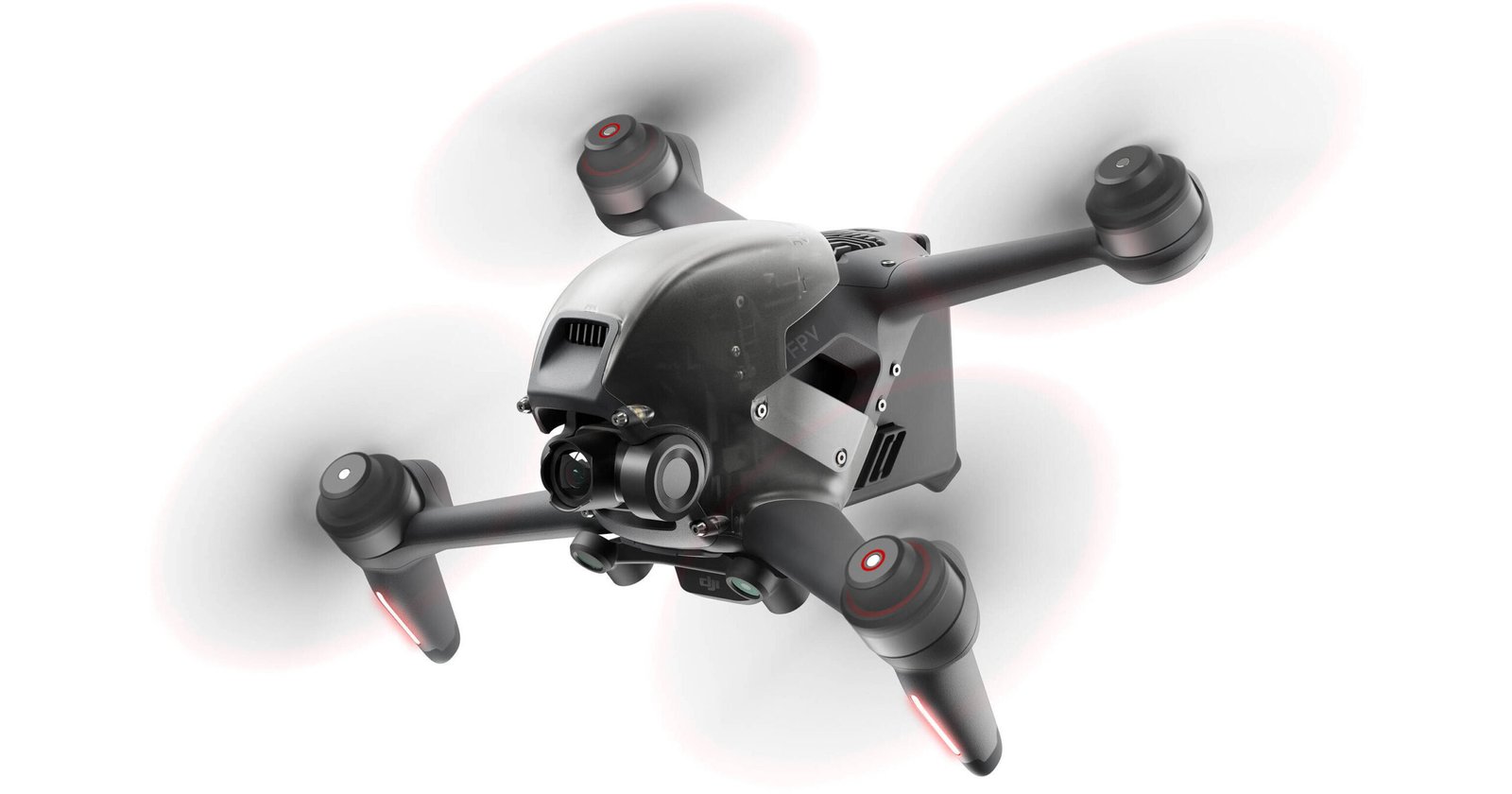
DJI has really shaken things up with the DJI FPV, creating something that feels totally new in the drone world. It’s not just another drone; it’s like they took the speed of a racing drone, the smooth camera work of a professional rig, and added DJI’s reliable tech all into one package. This drone is designed to give you that incredible, first-person view experience without making you feel like you need a degree in engineering to fly it. You can see the full official specs and package details on the DJI FPV product page.
Sleek Aerodynamic Design
The DJI FPV itself looks pretty sharp. It’s got this aerodynamic shape that’s not just for looks; it helps with how it flies, especially when you’re pushing it. It’s built to handle wind better and has good battery life, which is always a plus when you’re out flying.
Customizable Aircraft Lighting
One cool thing is the lighting. You can change the colors of the front LEDs and the lights on the arms. It lets you make your drone stand out and look unique. It’s a small touch, but it adds a bit of personality to the whole setup.
Unparalleled Control
What really sets this apart is the control. You get this super wide field of view through the goggles, making it feel like you’re really there. The video feed is sharp and comes through with very little delay, which is key when you’re flying fast. Plus, there’s this new motion controller that lets you steer with just hand movements. It feels really natural and intuitive, almost like you’re piloting it with your mind. It’s a big step up for anyone looking for the best drones for aerial video, offering a level of connection to the flight that’s hard to beat.
Mastering Flight With DJI FPV Modes
Getting comfortable with your DJI FPV drone is all about understanding its different flight modes. Think of them as training wheels, then a bit more advanced, and finally, full manual control. It’s a smart way to ease into the exciting world of FPV flying, especially if you’re looking for a good drone racing beginner guide.
Beginner-Friendly N Mode
N Mode is your starting point. It’s designed to be super approachable, kind of like how you’d learn to ride a bike with training wheels. This mode keeps things stable and includes DJI’s safety features, like obstacle sensing. If you’re new to flying, this is where you’ll want to begin. It lets you get a feel for the controls and the immersive view without too much worry about crashing. You can practice taking off, hovering, and making basic movements. It’s all about building confidence for your first flights.
Hybrid S Mode
Once you’re feeling a bit more confident, S Mode is the next step. This is a hybrid mode, blending the ease of N Mode with some of the responsiveness you’d find in manual control. It gives you a more dynamic flying experience while still offering some safety nets. It’s a great way to start exploring more advanced maneuvers and get a feel for how the drone reacts to your inputs. You’ll notice it feels more engaging than N Mode, but it’s not as demanding as full manual control.
Advanced M Mode
Finally, there’s M Mode. This is where you get complete, unrestricted control over the DJI FPV. All the assists are off, and it’s just you, the drone, and the sky. This mode is for experienced pilots who want the full FPV experience and the ability to customize every aspect of the flight. It’s incredibly rewarding but definitely requires practice and a good understanding of drone dynamics. If you’re aiming for high-speed flying or intricate aerial acrobatics, M Mode is your playground.
Remember, safety is always key. Even in M Mode, the DJI FPV has an emergency brake and hover feature. A quick press of a button will stop the drone in its tracks and make it hover, which can be a lifesaver when things get a little too intense.
Here’s a quick rundown of the modes:
- N Mode: Beginner-friendly, stable, with obstacle sensing. Ideal for learning the basics.
- S Mode: A hybrid mode offering a balance between dynamic flight and safety features. Good for developing skills.
- M Mode: Full manual control for experienced pilots. Offers maximum freedom and customization.
DJI FPV: Safety And Convenience Features
Emergency Brake And Hover
Flying an FPV drone can feel pretty intense, even for those who’ve been doing it for a while. That’s why DJI built in a really neat trick: the Emergency Brake and Hover. Seriously, just hit that button on the controller, and no matter how fast you’re going or what mode you’re in, the drone just stops and hangs out in the air. It’s a lifesaver, especially when you’re still getting the hang of things or if something unexpected pops up.
Audience Mode For Shared Views
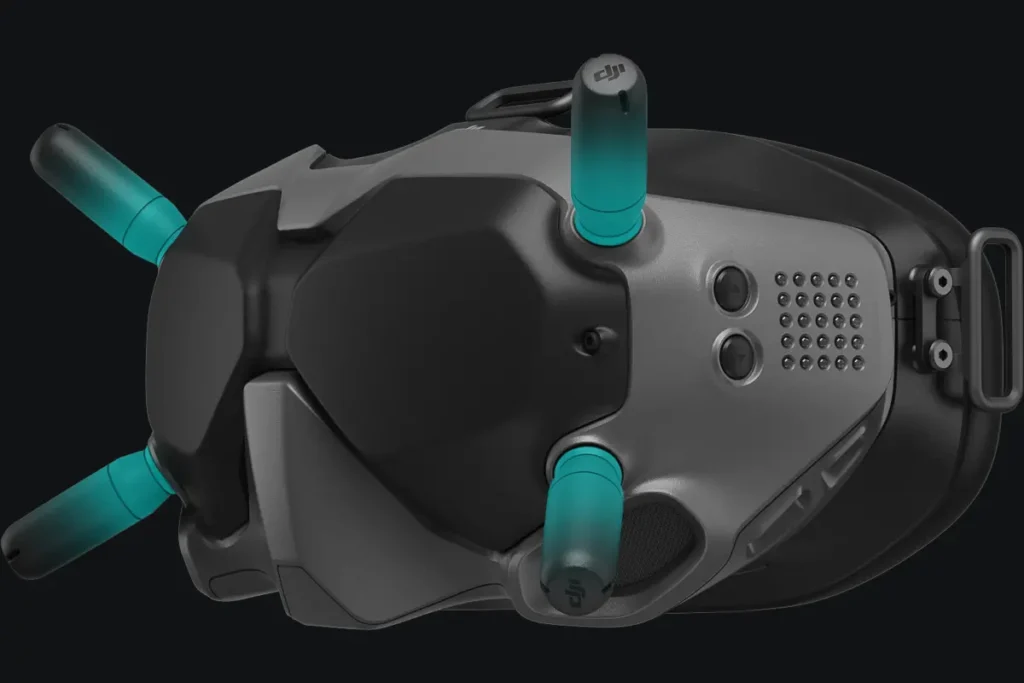
Want to show your friends what you’re seeing from the drone’s perspective? Audience Mode is pretty cool for that. You can hook up other DJI FPV Goggles V2 units to your aircraft, and they’ll get to see the same live feed you are. It’s a great way to share the excitement without them needing to be right next to you. Plus, it’s handy if you have someone helping you spot potential issues while you’re focused on flying.
Modular And Replaceable Parts
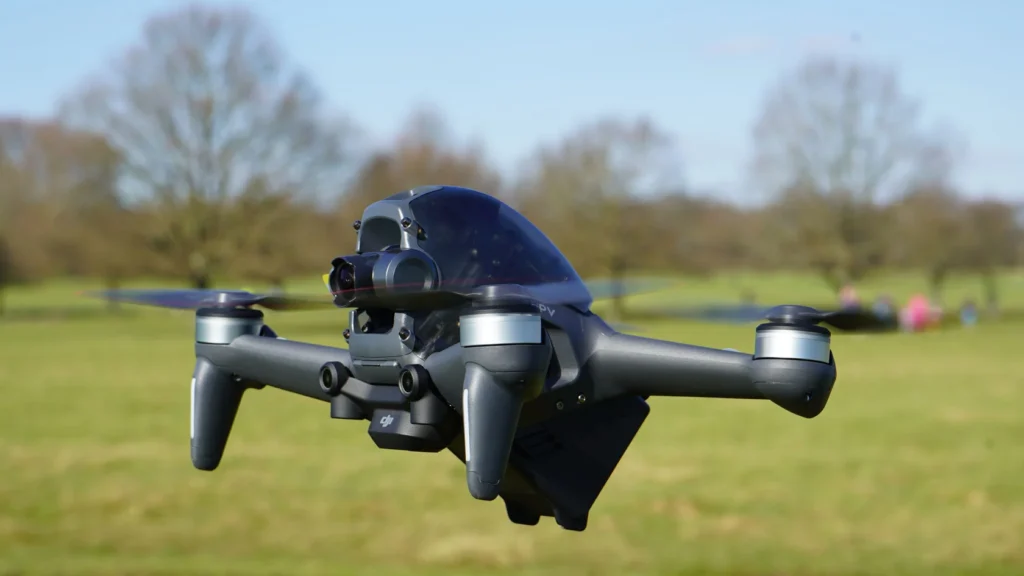
Nobody likes it when a drone gets damaged, but with the DJI FPV, fixing it up isn’t a huge headache. The camera, landing gear, and even the top shell are designed to be swapped out pretty easily. This means if you have a minor mishap, you can often get it back in the air without needing a professional repair. It definitely makes owning an FPV drone feel a lot less risky.
DJI has really thought about making this drone accessible and less intimidating. Features like the emergency brake and the modular design show they want people to actually enjoy flying without constant worry about crashing or complex repairs. It’s about getting you in the air and keeping you there safely.
Here’s a quick rundown of some key safety and convenience points:
- Emergency Brake and Hover: Stops and stabilizes the drone instantly in any mode.
- Audience Mode: Allows multiple goggles to view the same feed.
- Modular Design: Key parts like the camera and landing gear are easy to replace.
- ADS-B Receiver: Warns you about nearby manned aircraft.
Capturing Stunning Footage With DJI FPV
High-Resolution 4K/60fps Video
Forget grainy videos. The DJI FPV camera shoots in crisp 4K at 60 frames per second, with a bitrate up to 120 Mbps. This means you get incredibly detailed footage that really captures the intensity of your flight. It’s like reliving the experience every time you watch it back. Plus, it records in H.265 or H.264, which is pretty neat for saving space on your memory card without losing quality.
RockSteady Stabilization
Even when you’re zipping around, the footage stays remarkably smooth. DJI’s RockSteady stabilization tech works wonders to iron out those shaky movements. It’s especially good at getting rid of that rolling shutter effect you sometimes see when things are moving fast. So, even if your flying gets a bit wild, your videos won’t look like a shaky mess.
Advanced Distortion Correction
One of the quirks of FPV flying can be that wide, fish-eye look. The DJI FPV has built-in software to fix that. It corrects the distortion, so you get a more natural view of what you’re flying through. This makes the footage look much more polished and less like a novelty effect. It really helps make the video feel more immersive and less jarring.
The camera on the DJI FPV is mounted on a single-axis gimbal. While this might sound limited compared to fancier setups, it’s actually perfect for FPV. It allows for that crucial vertical rotation needed for unique shots, all while keeping the footage stable during those high-speed maneuvers. It’s a smart design choice for this type of flying.
Here’s a quick look at what you can expect:
- Resolution: Up to 4K
- Frame Rate: 60fps for standard recording, 120fps for 1080p slow-motion
- Bitrate: Up to 120 Mbps
- Stabilization: RockSteady technology
- Correction: Advanced distortion correction
- Slow Motion: 4x at 1080p/120fps
DJI FPV: An Optimized Flying Experience
Getting started with first person view drones can feel a bit daunting, but DJI has really put a lot of thought into making the DJI FPV system as user-friendly as possible. It’s not just about the raw speed or the immersive view; it’s about how all the pieces work together to give you a smooth and safe flight, whether you’re just dipping your toes into FPV or you’re already a seasoned pilot. They’ve packed in features that help you out without taking away from the core FPV thrill.
Integrated ADS-B For Safety
One of the standout features for me is the built-in Automatic Dependent Surveillance-Broadcast (ADS-B) system. This is a big deal for safety, especially when you’re flying in areas where there might be other aircraft around. The system picks up signals from manned aircraft in your vicinity and sends a warning directly to your goggles. This gives you a heads-up, allowing you to take action and avoid any potential conflicts. It’s like having an extra set of eyes looking out for you, which is pretty reassuring when you’re focused on the flight ahead.
DJI Virtual Flight App Simulator
Before you even take your DJI FPV out of the box for its maiden voyage, you can get a feel for it with the DJI Virtual Flight app. This simulator is a fantastic tool for practicing your fpv drone setup tips and getting comfortable with the controls. You can connect your goggles and controller and fly in various simulated environments. It’s a risk-free way to learn the ropes, try out different maneuvers, and really get a handle on the drone’s behavior. I spent a good hour in there myself, and it definitely made my first real flight feel much more confident. It’s a great way to prepare for cinematic drone flying without any real-world consequences.
DJI Fly App Integration
The DJI Fly app ties everything together nicely. It’s not just for reviewing your footage, though it does that really well, letting you edit and share your amazing aerial shots right from your phone. You can also see a live view from the goggles on your smartphone, which is handy if you want to show someone else what you’re seeing or just have a bigger screen. Plus, the Fly Spots feature can help you discover cool places to fly, which is always a bonus for finding new perspectives. It really makes the whole experience more connected and accessible.
The DJI FPV system is designed to be accessible, integrating advanced safety tech like ADS-B and providing a robust simulator through the Virtual Flight app. This focus on optimization means pilots can concentrate on the joy of flight and capturing stunning footage, rather than getting bogged down in complex setups or worrying excessively about safety. It’s a smart approach that welcomes newcomers while still satisfying experienced flyers. You can find some great beginner drones that offer a taste of this technology [fa2d].
Here’s a quick look at some of the key optimization features:
- ADS-B Receiver: Alerts you to nearby manned aircraft.
- Virtual Flight App: Practice flying in a safe, simulated environment.
- DJI Fly App: Live view on smartphone, footage editing, and flight spot discovery.
- Modular Design: Easily replaceable parts for quick repairs.
- Emergency Brake & Hover: Instant stop and hover capability in any mode.
Ready to Take Off?
So, that’s the DJI FPV. It really seems like DJI tried to make flying feel exciting again, whether you’re just starting out or you’ve been doing this for a while. The different flying modes and that motion controller thing sound pretty cool for getting into the air without too much fuss. Plus, the camera stuff looks decent for capturing your flights. If you’ve been curious about FPV drones but felt a bit intimidated, this might be the one to check out. It’s all in one box, ready to go, which is a big plus. Give it a try and see where it takes you!
Frequently Asked Questions
What makes the DJI FPV drone so immersive?
The DJI FPV drone offers a super immersive flight experience thanks to its special goggles that show you what the drone sees in real-time. It has a really wide view, like 150 degrees, so you feel like you’re actually in the sky. Plus, the video feed is super clear and smooth, making it feel like you’re flying it yourself.
Is the DJI FPV drone hard to fly for beginners?
Not at all! The DJI FPV comes with different flying modes. There’s an ‘N Mode’ that’s perfect for beginners, using regular drone controls and safety features. It also has an ‘S Mode’ which is a mix, and an ‘M Mode’ for experienced pilots who want full control. It even has an emergency brake to stop it quickly if needed.
How does the Motion Controller work?
The optional Motion Controller is a really cool way to fly. You just hold it in your hand, and by moving your hand, you can steer the drone. It makes flying feel very natural and intuitive, almost like you’re guiding it with your thoughts!
Can I record amazing videos with the DJI FPV?
Yes, you absolutely can! The DJI FPV has a camera that can shoot video in super sharp 4K quality at 60 frames per second. It also has special technology called RockSteady that keeps your videos really smooth, even when the drone is moving fast or doing tricky moves. It even helps fix any wobbly or distorted video.
What safety features does the DJI FPV have?
DJI put a lot of thought into safety. It has an emergency brake and hover function that stops the drone instantly. It also has sensors to detect obstacles in front and below it, especially in ‘N Mode’. Plus, it has a feature called ADS-B that warns you if manned aircraft are nearby, helping you stay safe in the air.
Can I practice flying the DJI FPV before I go outside?
Definitely! DJI offers a free app called the ‘DJI Virtual Flight’ app. You can connect your goggles and controller to it and practice flying in realistic virtual environments. It’s a great way to get comfortable with the controls and different flight modes without any risk.