
DJI Mavic Air 2 review and buying guide: Features, flight performance, accessories, and value

Key Takeaways
The DJI Mavic Air 2 remains a capable folding camera drone, particularly when bought in good condition and paired with realistic expectations.
- It combines a 1/2-inch CMOS sensor with 12MP and 48MP photo modes.
- Video reaches 4K at 60 frames per second.
- The rated flight time is up to 34 minutes without wind.
- OcuSync 2.0 provides a stable live-view connection over substantial distances.
- Used buyers should inspect batteries, gimbal movement, sensors, firmware, and crash damage carefully.
DJI Mavic Air 2 at a glance
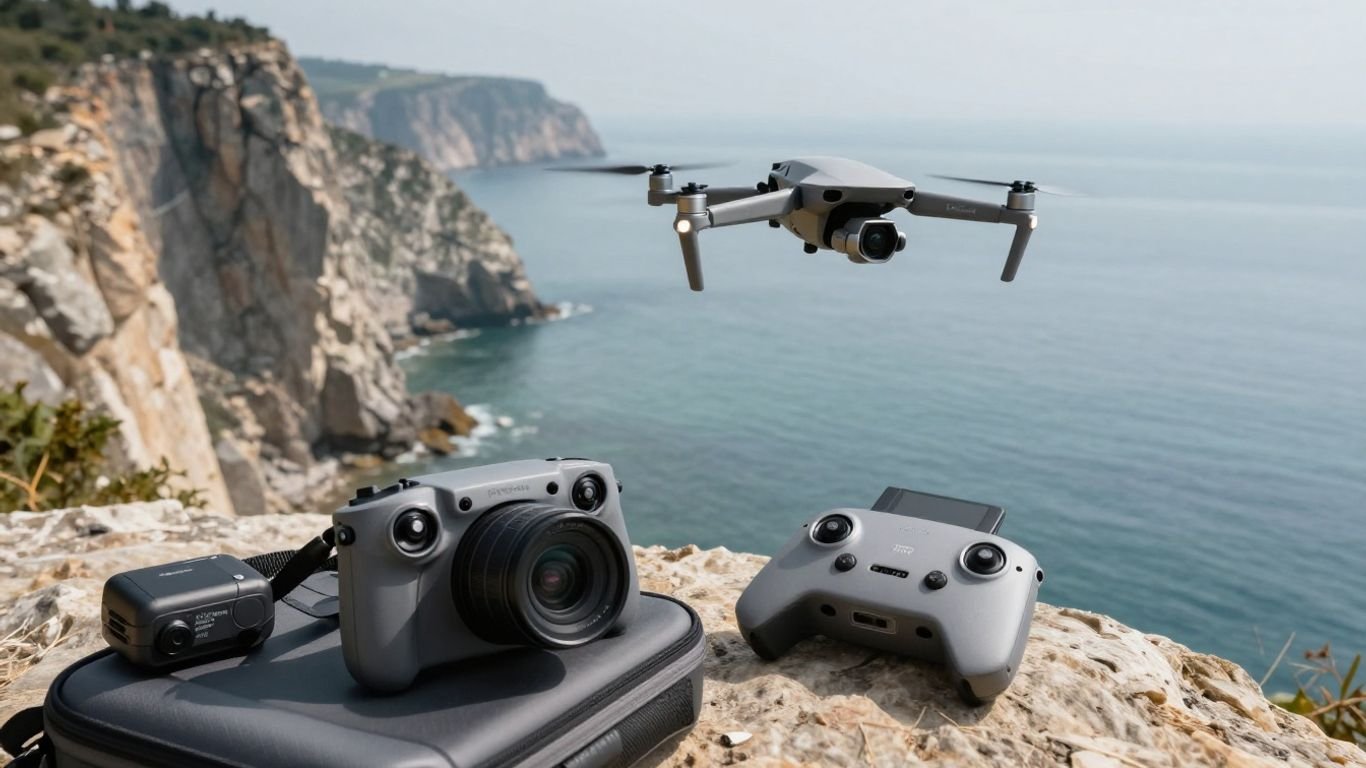
The DJI Mavic Air 2 is a folding camera drone aimed at people who want more imaging control than a basic beginner model without carrying a large professional aircraft. Its balance is still appealing: a 570-gram body, a three-axis gimbal, GPS positioning, automated flight options, and a controller that uses a phone for the live view. The official DJI Mavic Air 2 overview is a useful companion when checking the headline specifications.
Key specifications and standout features
The aircraft folds to 180 × 97 × 84 mm and unfolds to 183 × 253 × 77 mm. It has low-noise folding propellers, 8GB of internal storage, GPS and GLONASS satellite systems, and a maximum horizontal speed of 19 m/s in Sport mode. Those figures describe the platform well, but they do not replace a careful pre-flight check or knowledge of local operating rules.
Camera resolution, sensor, and video formats
Its camera uses a 1/2-inch CMOS sensor with effective 12MP and 48MP modes, a 24mm-equivalent f/2.8 lens, and a 1m-to-infinity focus range. Still images can be recorded at up to 8000 × 6000 pixels in the 48MP mode. The camera also supports HDR Panorama, burst shooting, automatic exposure bracketing, timed photos, SmartPhoto, and video recording up to 4K/60fps.
Flight time, range, and transmission system
DJI rates maximum flight time at 34 minutes without wind, with a maximum flight distance of 18.5 km under its stated test conditions. The transmission system provides 1080p live video and uses OcuSync 2.0, while actual range depends on regional limits, interference, antenna position, weather, and line of sight. Treat advertised distance as a technical ceiling, not a target for routine flying.
Who the DJI Mavic Air 2 is designed for
This model suits travelers, hobbyists, and creators who want a more substantial camera drone that still packs into a small case. It is approachable for a first serious drone, although a first-time pilot should learn slowly rather than relying on automated modes. Someone comparing older aircraft may also find our older Mavic Air review helpful for understanding how the generation differs in camera, signal, and battery expectations.
Camera and image quality
The camera is the strongest reason to consider this aircraft. In daylight, the sensor produces detailed aerial photos and offers enough flexibility for cropping, while the gimbal keeps the viewpoint steady during ordinary movements. The small sensor still has limits, particularly as light falls, so the best results come from thoughtful exposure and controlled flying rather than simply selecting the highest resolution.
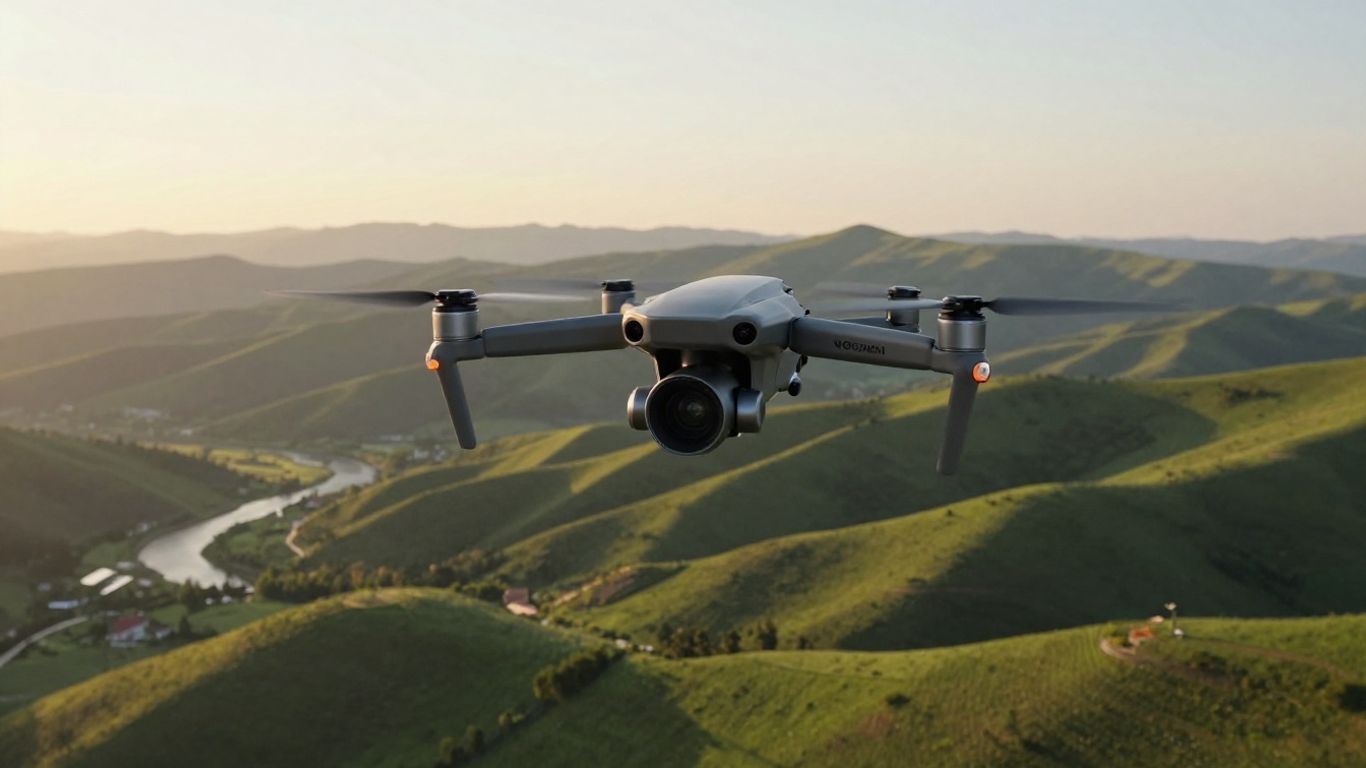
Photo modes and shooting capabilities
The camera offers single photos at 12MP or 48MP, along with burst, AEB, timed shooting, SmartPhoto, and HDR Panorama modes. The 12MP setting is often the more practical choice when exposure and processing matter more than maximum pixel count. AEB is useful when you expect to blend exposures later, while timed shooting gives the aircraft and gimbal a moment to settle before capture.
4K video performance and frame rates
Video recording reaches 4K/60fps, with lower resolutions and frame rates available for different editing needs. Sixty frames per second gives motion a smooth appearance and allows modest slow-motion treatment in a 30fps edit. Keep camera movement gentle, because high frame rate cannot disguise abrupt yaw, fast tilts, or a horizon that keeps drifting through the shot.
HDR, intelligent shooting, and low-light results
SmartPhoto combines scene recognition, HyperLight, and HDR functions, and the camera also supports HDR video and HDR Panorama features according to the selected mode and recording settings. These options can help when the scene contains mixed brightness, but they are not a substitute for checking the live histogram or avoiding extreme contrast. Low-light footage is usable when exposure is managed carefully, though noise and reduced detail become more visible than they are in sunlit scenes.
Tips for capturing sharper aerial footage
Sharp aerial footage starts before takeoff. Use a clean lens, allow the gimbal to complete its startup routine, and avoid filming immediately after a hard acceleration or abrupt stop. Gentle control inputs matter more than chasing a dramatic flight path, especially when the camera is pointed toward fine detail such as rooftops, trees, or textured ground.
For a repeatable setup, use a consistent routine: choose an appropriate shutter speed, keep ISO as low as practical, watch the horizon, and leave space around the subject. ND filters can help manage shutter speed in bright conditions, but they should be matched to the light rather than left on by default.
Flight performance and safety
The aircraft is stable and predictable when flown within its operating limits. GPS positioning, vision positioning, Return to Home, and obstacle-sensing systems provide useful assistance, but they do not make the drone autonomous in every environment. Good flying remains a combination of preparation, observation, and conservative judgment.
Takeoff, landing, and in-flight handling
Take off from a clear, level surface and give the aircraft time to establish its position before moving away. Normal mode is a comfortable starting point, while Sport mode increases speed and makes braking distances more important. The three-axis gimbal helps maintain a level view, but smooth footage still depends on gradual yaw, pitch, and throttle changes.
Landing is easiest when the pilot has already checked the return path and selected a visible landing area. Avoid catching the drone by hand unless you have the training and conditions to do so safely; a clean ground landing is simpler and more repeatable.
Obstacle sensing and safety features
Obstacle sensing is intended to help detect hazards, while APAS 3.0 can assist with obstacle avoidance in supported situations. Sensors can struggle with thin branches, wires, reflective surfaces, low light, and objects outside their field of view. The aircraft should never be flown toward a hazard on the assumption that the system will always stop or route around it.
Wind resistance and outdoor performance
The published wind-resistance rating is Level 5, with a stated range of 8.5–10.5 m/s. Wind can still affect battery use, return travel, and landing stability, especially when flying away from the launch point. Watch how the aircraft behaves on the outward leg and preserve enough battery for a controlled return rather than using every available minute.
Battery management and real-world flight time
The intelligent flight battery is a 3-cell LiPo unit rated at 3500mAh and 40.42Wh. The 34-minute maximum is measured without wind, so practical flights are shorter once takeoff, positioning, camera work, reserve power, and the return are included. Store batteries according to the manufacturer’s guidance, avoid flying with a swollen or damaged pack, and inspect used batteries for cycle history and physical wear.
A simple field checklist keeps small oversights from becoming expensive ones:
- Confirm the battery is seated and sufficiently charged.
- Check propellers, gimbal movement, and camera glass.
- Verify the home point and Return to Home height.
- Look for people, aircraft, trees, wires, and restricted areas.
- Leave a deliberate reserve for the trip home.
That routine is more valuable than squeezing out a few additional seconds of flight. It also makes the first flight with a second-hand aircraft less stressful.
Intelligent flight modes and controller features
Automated modes are best understood as filming aids rather than substitutes for piloting. They can make a subject reveal, orbit, or pull-away easier to repeat, while the controller and app provide the information needed to monitor the aircraft. The pilot still needs to check the environment before starting an automated sequence.
ActiveTrack and subject tracking
FocusTrack combines intelligent modes for subject-focused filming, including ActiveTrack-style tracking functions. The aircraft can follow or frame a selected subject in supported conditions, but a moving subject may pass behind an object or leave the camera’s view. Start in a wide, open area and keep your attention on the aircraft, not only on the phone screen.
QuickShots for automated filming
QuickShots offer preset movements that produce short automated clips, such as pull-away, circle, or other programmed camera paths. They are convenient for learning how distance and composition change during a move. Check the entire flight path first, because the aircraft will follow the selected routine rather than adapting to every unexpected obstacle.
Return to Home and flight automation
Return to Home can help the aircraft come back when the connection is interrupted or when the pilot initiates the function. Its usefulness depends on an accurate home point, adequate satellite positioning, a sensible RTH altitude, and a clear route. Automation should reduce workload, not remove the need to monitor battery, signal, height, and nearby hazards.
DJI Fly app controls and live-view settings
The DJI Fly app presents flight information, camera controls, live video, warnings, and settings through the connected phone. Before a serious shoot, set the recording resolution, frame rate, storage destination, exposure controls, and RTH height on the ground. It is also worth reviewing official documentation in the download center, especially when buying an older aircraft whose previous owner may have left settings unchanged.
Accessories and essential setup upgrades
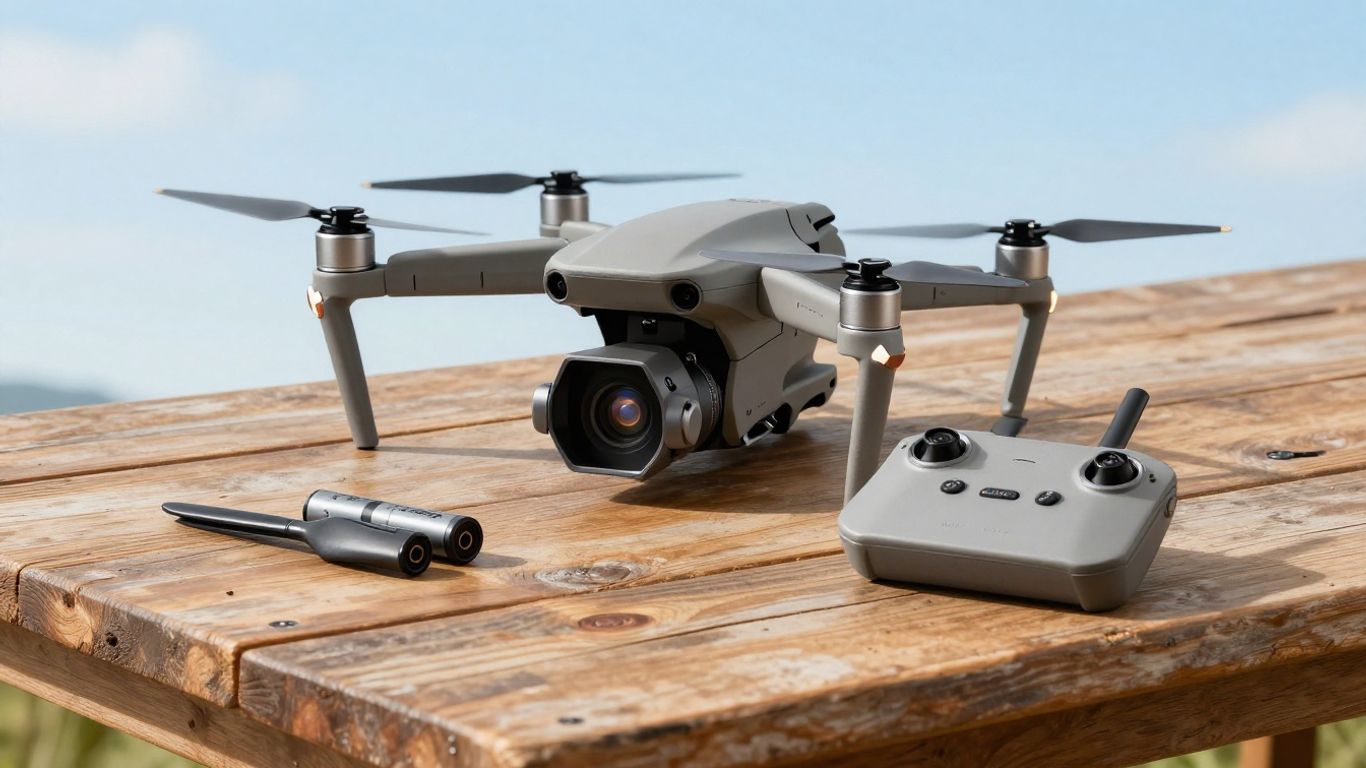
The right accessories make a bigger practical difference than a long list of novelty add-ons. Batteries, reliable storage, spare propellers, and a protective way to travel are the essentials. Filters and charging extras become worthwhile once you know how and where you usually fly.
Extra batteries and charging solutions
An additional intelligent flight battery extends a day’s usefulness, provided each pack is healthy and charged safely. A charging hub can simplify a multi-battery routine by reducing cable changes between flights. Buyers of used kits should confirm that every included battery belongs to the aircraft, charges normally, and does not show swelling, cracks, or unusual heat.
Propellers, filters, and protective gear
Spare low-noise folding propellers are sensible because even a minor scrape can justify replacement. ND filters can support more controlled video exposure in bright weather, while a gimbal protector helps during storage and transport. The Mavic Air 2 accessories guide is a useful place to compare the practical categories before spending on extras.
Storage options for photos and video
High-bitrate 4K recording deserves a dependable microSD card with enough capacity for the day’s work. Carry a spare rather than deleting clips in the field, and format cards in the aircraft after backing up the files. The internal 8GB storage can be helpful in a pinch, but it is not a replacement for removable storage on a planned shoot.
Carrying cases and travel accessories
A fitted case protects folded arms, propellers, batteries, and the controller from pressure inside a larger bag. Choose one with room for the equipment you actually carry; an oversized case becomes cumbersome, while a tight case can press against the gimbal. For broader travel planning, Travel FX covers travel money rather than drone equipment, so it belongs on a trip checklist—not in the camera bag.
A few adjacent buying guides can also be useful background reading, even though they concern different kinds of purchases: commercial sign company, Anvil K9, Founders Led Studio, and Ledsone. They are not drone accessories, but they illustrate why checking service scope, condition, and fit matters before committing money.
Buying a DJI Mavic Air 2 today
Buying this aircraft in 2026 is mainly a condition-and-price decision. New stock may be limited or unavailable, while used and refurbished examples vary widely in battery health, crash history, included accessories, and software state. The model can still make sense when its camera, flight time, and size match your work, but age should be part of the calculation.
New, used, and refurbished purchasing options
A new unit offers the clearest starting point, although availability and pricing can fluctuate because the model is no longer current. Refurbished and used listings can be attractive when the seller provides clear photos, serial information, test footage, and a return window. Avoid treating a complete-looking box as proof of careful ownership; the airframe and batteries matter more than packaging.
How to evaluate battery and aircraft condition
Inspect the arms for stress marks, the gimbal for smooth movement, and the camera lens for scratches. Ask whether the aircraft has been crashed, stored for a long period, or exposed to water. On a test flight, check hovering, compass or sensor warnings, live-view stability, gimbal response, landing behavior, and battery readings before agreeing to keep it.
Firmware, app compatibility, and support resources
An older drone should be tested with the current app and compatible phone before purchase whenever possible. Review firmware status, connection behavior, controller cables, and all available manuals. The official Mavic Air 2 support resources bring specifications, troubleshooting information, FAQs, and product documentation together, which is particularly helpful when a listing omits setup details.
When the DJI Mavic Air 2 still offers good value
It remains good value when you want a folding drone with a 1/2-inch camera, 4K/60fps video, intelligent capture modes, and a rated 34-minute maximum flight time at a sensible used price. It is less compelling if the battery pack is tired, the gimbal is loose, or the seller cannot demonstrate a stable connection. For a broader look at buying older aircraft, compare the questions raised in this used drone buying guide before making a decision.
Conclusion
The DJI Mavic Air 2 still earns consideration because it pairs a travel-friendly folding design with a detailed camera, smooth 4K/60fps video, useful automation, and reassuring flight assistance. Its age means buyers should be disciplined about battery condition, software compatibility, and physical inspection, but a healthy example can remain a capable and enjoyable aerial camera for hobbyists and creators.
Frequently Asked Questions
Is a folding camera drone suitable for beginners?
Yes, provided the beginner learns the controls, local rules, weather limits, and safety procedures before attempting automated shots or long-distance flights.
How much flight time should I expect in practice?
Expect less than the published maximum because wind, takeoff, maneuvering, camera use, return reserves, and battery age all reduce usable airtime.
Are 48MP aerial photos always better than 12MP photos?
Not always. Higher resolution can preserve more crop detail, while a lower-resolution mode may offer a more practical balance of processing, exposure, and file size.
What makes aerial video look smooth?
Smooth footage comes from gradual control inputs, steady exposure, careful gimbal settings, an appropriate frame rate, and a flight path planned before recording.
Do obstacle sensors make a drone collision-proof?
No. Sensors can miss thin, reflective, poorly lit, or partially hidden objects, and pilots must continue watching the aircraft and its route.
What should I check when buying a used drone?
Inspect the body, arms, gimbal, lens, propellers, batteries, controller, charging equipment, live connection, firmware, and flight behavior. A return window is also valuable.
Do I need accessories beyond the basic package?
A spare battery, extra propellers, dependable memory cards, and a protective case are the most useful starting upgrades. Filters and charging hubs depend on your shooting habits.