
DJI Mavic Air review: features, camera performance, and buying advice

Key Takeaways
The DJI Mavic Air remains a remarkably compact camera drone, but its age shows most clearly in battery life, transmission, and low-light imaging.
- Its foldable design makes it easy to pack for trips and day hikes.
- The 12MP camera and 4K video are strongest in good daylight.
- Intelligent flight modes make aerial shots approachable for newer pilots.
- Older batteries, controllers, and app compatibility deserve careful checking.
- A used example can make sense when the price reflects its limitations.
DJI Mavic Air design and portability
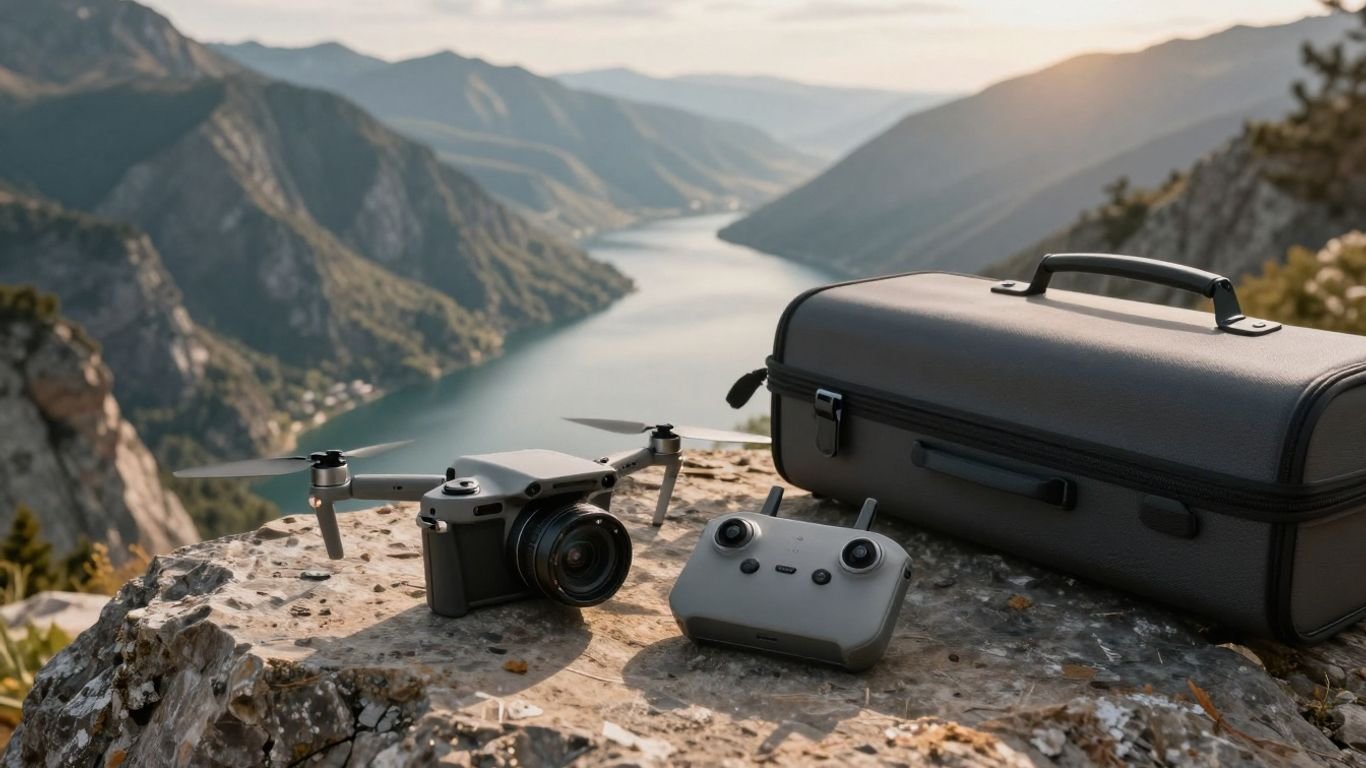
The DJI Mavic Air was designed around a simple travel-friendly idea: carry a capable camera drone without dedicating an entire bag to it. The arms fold against the body, and the remote controller folds down as well. That compact package is still the product’s clearest appeal, especially for casual photographers and travelers who value having a drone available rather than leaving it at home.
Foldable build and travel-friendly dimensions
The folding structure makes packing straightforward, with the drone, controller, charging equipment, and spare accessories fitting neatly into a small travel setup. It feels more substantial than a toy but remains easy to handle on a picnic table or hotel desk. The compact shape also reduces the friction of taking a drone on ordinary outings, where a larger aircraft might stay behind.
That portability does not remove the need for protection. The gimbal, propellers, and folding arms should be secured before the drone goes into a bag. A small case is worthwhile, particularly if the aircraft will share space with camera equipment, clothing, or hiking supplies.
Remote controller, controls, and setup
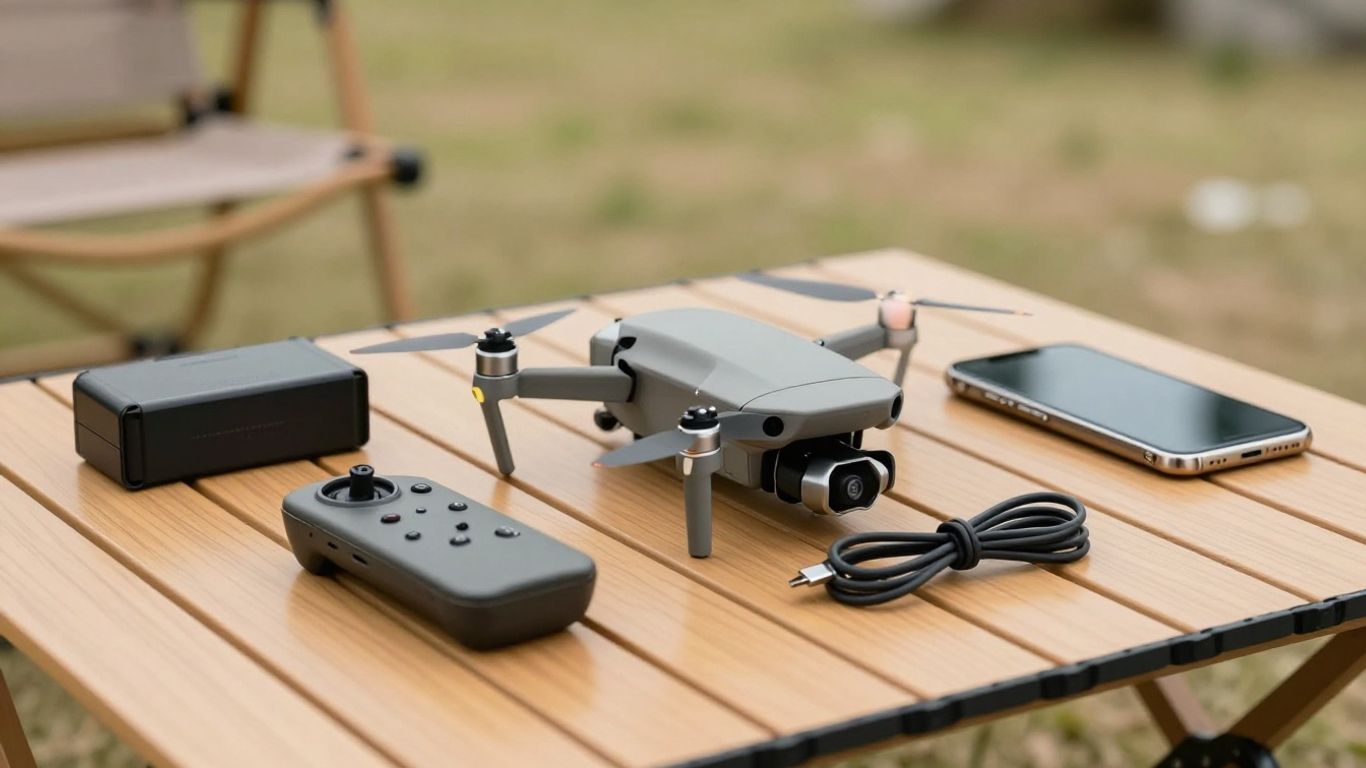
The supplied remote controller uses a familiar two-stick layout and provides a physical connection to a phone for the live view. Its folding arms and removable control sticks make it easier to store than many older drone controllers. Setup is fairly conventional: charge everything, install the flight app, attach the phone cable, and complete the calibration and safety prompts before taking off.
The first flight is best kept simple. Open space, calm weather, and a clear view of the aircraft give a new pilot time to understand throttle, yaw, forward movement, and braking. Treat the setup process as part of the flight, not as a chore to rush through.
Obstacle sensing and flight safety
The aircraft uses vision systems and obstacle-avoidance technology to help detect hazards in its flight path. That assistance can reduce risk during ordinary flying, but it is not a substitute for watching the drone. Thin branches, wires, reflective surfaces, and changing light can still be difficult for a small vision system to interpret.
A cautious pilot keeps the aircraft within sight, checks the launch area, and avoids relying on automated protection in tight spaces. Sensor assistance is most useful when paired with conservative choices, not when used as permission to fly close to objects.
Noise, durability, and outdoor handling
The propellers produce a noticeable high-pitched sound, even though the drone is small. It is usually acceptable in open outdoor locations, but it can feel intrusive in quiet parks or around other people. The lightweight body is convenient to carry, yet it also calls for care in gusty weather and during landings on uneven ground.
Before each flight, inspect the propellers, motor areas, arms, and gimbal protector. A quick check can reveal cracks, dirt, or an arm that has not fully locked into position. Those small habits matter more with an older aircraft, especially one bought second-hand.
DJI Mavic Air camera performance
The camera is still useful for travel photography when expectations are realistic. It records 12MP still images and 4K video at 30 frames per second, with a 3-axis gimbal-stabilized camera helping to keep footage level. The results are best in bright, even light; the small sensor has less room to cope when shadows deepen or the sun disappears.
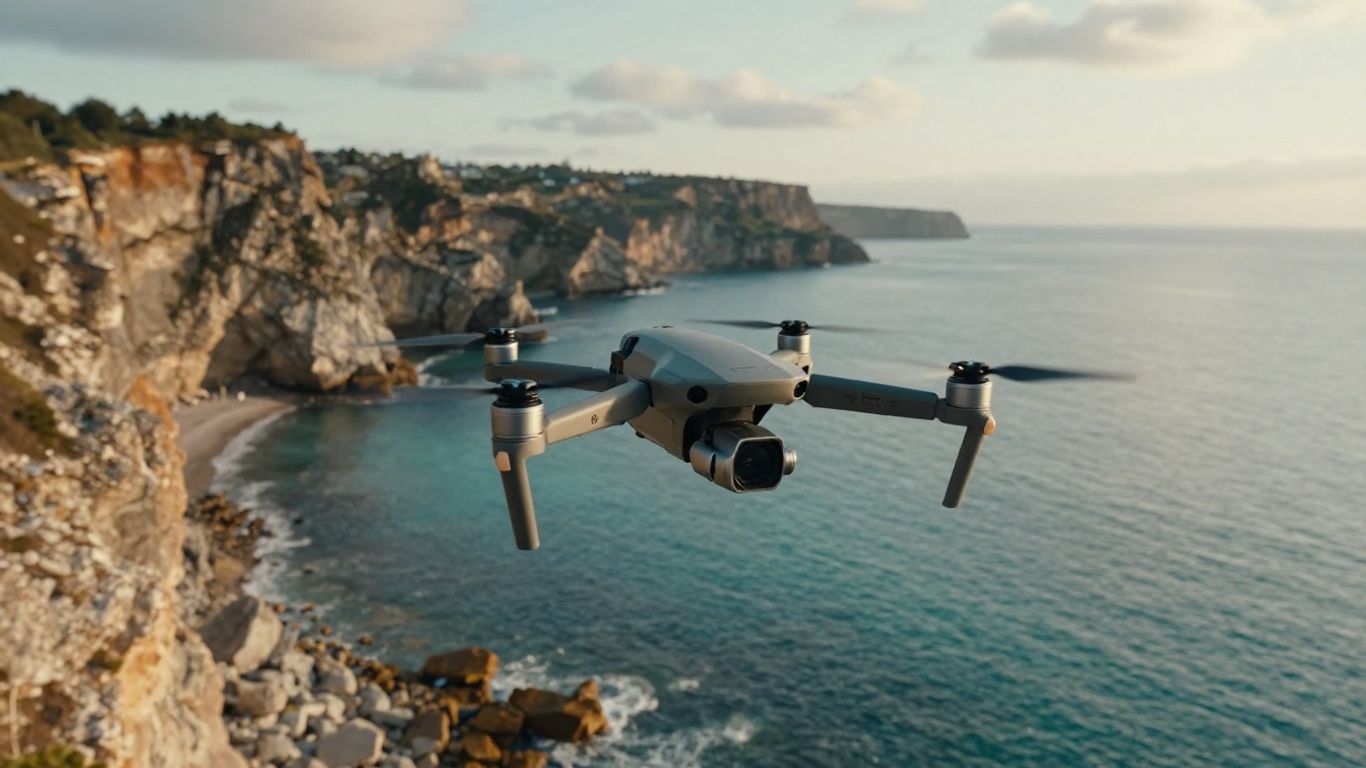
Image quality in daylight
In daylight, the camera can produce crisp aerial views with pleasing detail across landscapes, buildings, and outdoor scenes. Exposure is generally easier to manage when the light is consistent, and the elevated viewpoint gives ordinary travel images a fresh composition. It is a good match for social posts, personal albums, and short edits rather than demanding commercial production.
The camera’s fixed perspective also rewards careful positioning. Moving slowly, keeping the horizon deliberate, and avoiding harsh midday contrast will often improve the final image more than changing a setting. Good light matters most with this generation of compact camera drone.
Low-light photography and video limitations
Low-light work is where the age of the camera becomes more apparent. The smaller sensor can show noise as the light falls, while fine detail may soften when the camera needs to use a slower shutter or higher sensitivity. Night scenes, shaded forests, and blue-hour video therefore require more restraint than bright midday flights.
Rather than forcing a dramatic shot, plan around the available light. Dawn and late afternoon can offer better color without pushing the camera as hard as a dark scene would. A steady flight path and modest exposure choices also make compression and noise less distracting.
Shooting modes for travel photographers
Automated shooting modes give travelers a way to create movement without manually planning every control input. QuickShots can produce repeatable patterns, while panorama options help fit broad scenery into a single composition. These modes are convenient, but they still need a clear area, a visible subject, and enough height to complete the movement safely.
A useful travel routine is to capture one carefully framed manual clip and then try one automated mode. That creates a dependable shot while leaving room for experimentation. The result feels more personal than filling an entire memory card with identical automated passes.
Stabilization, color, and file formats
The 3-axis gimbal is central to the camera experience. It keeps the horizon steady during ordinary movement and makes slow pans easier to use. Color is pleasant in good light, though photographers who plan extensive editing should remember that this is an older compact system rather than a high-end cinema camera.
Still images and video can be stored for later editing, while the aircraft also includes internal storage according to the listed product information. A memory card remains practical for longer outings. Keep original files until the trip is backed up; phone previews are convenient, but they are not a substitute for the camera originals.
Flight performance and intelligent features
The aircraft is approachable in the air, with GPS positioning, automated flight options, and return-to-home behavior supporting the basic flying experience. Its small size makes it feel nimble, but nimble does not mean unlimited. Wind, battery condition, local restrictions, and signal conditions all influence how far and how confidently it should be flown.
Battery life and real-world flight time
Published maximum flight time is always more generous than a sensible field session. Pilots need reserve power for returning, landing, and responding to an unexpected change in wind. An older battery may also have reduced capacity or a less predictable discharge curve, so flight time should be judged from the actual battery condition rather than the original specification alone.
Several charged batteries make a day out more practical. The Fly More Combo includes additional flight batteries and charging accessories, though availability and condition vary widely in the used market. Plan each flight before takeoff so the remaining charge is spent on the shot, not on hurried decisions at the end.
Range, signal reliability, and flight modes
Signal reliability depends on the environment, interference, antenna orientation, and the distance between pilot and aircraft. Buildings, trees, and crowded radio conditions can all reduce confidence. The safest approach is to keep the drone within visual line of sight and treat advertised range as a technical ceiling, not a target.
The aircraft offers familiar flight modes for normal piloting and creative movements. Beginners should first practice straight lines, gentle turns, and controlled ascents. Once those feel natural, automated modes become easier to supervise because the pilot already understands how the aircraft reacts.
QuickShots and automated subject tracking
QuickShots are among the most appealing features for casual creators because they can generate a polished-looking movement with limited manual input. The pilot selects a suitable subject and confirms the space around it. Automated tracking and movement still require supervision, since the aircraft can encounter a person, tree, building, or other obstruction beyond the camera’s immediate view.
The best automated clips are short and purposeful. A single reveal or orbit can add variety to a travel sequence, while repeating every mode can make the edit feel mechanical. Use automation as one tool in a broader shot plan.
GPS positioning and return-to-home behavior
GPS positioning helps the aircraft hold its place and supports return-to-home behavior when the connection is interrupted or the battery reaches a configured threshold. Before launch, check the recorded home point and confirm that the planned return path is clear. A return-to-home feature is reassuring, but it cannot remove hazards between the aircraft and its launch location.
Altitude settings deserve attention as well. A safe return height depends on the tallest nearby obstacle, not just the open patch directly above the pilot. Take a moment to assess the whole route before lifting off.
DJI Mavic Air app experience
The app acts as the bridge between the controller, camera, and aircraft. It provides live video, flight information, camera settings, and access to intelligent modes. Because this is an older model, the experience can depend more heavily on the phone, cable, operating system, and current app support than it did when the drone was new.
DJI GO 4 setup and compatibility
The setup uses DJI GO 4, with a phone connected to the remote controller. A compatible device, a reliable cable, and permissions for the app are all part of the process. Before a trip, connect everything at home and confirm that the aircraft, controller, and phone communicate correctly.
Older hardware is easier to live with when the pilot prepares in advance. Download any needed app components, charge the controller, and avoid assuming that a cable that charges a phone will also provide a dependable data connection. A spare compatible cable can prevent an otherwise avoidable cancellation.
Live view, camera controls, and flight data
The live view places framing and flight information on the phone screen. Pilots can adjust camera settings, select shooting modes, monitor battery information, and review warnings without taking their attention entirely away from the aircraft. The screen may become difficult to read in direct sun, so shade and brightness adjustments can help.
Do not fill the display with settings changes while the drone is moving. Establish a stable hover, make one adjustment, and then return attention to the surroundings. This simple rhythm keeps the creative process from overwhelming the flying task.
Transferring photos and videos
Footage can be reviewed through the app and moved to a phone for quick sharing, while original files can be copied from the aircraft’s storage or memory card for editing. Phone transfers are convenient for short clips, but larger files take longer and may reduce the time available for other preparation.
For a full day of shooting, use a card reader or a direct computer transfer when possible. Organize files by date and location as soon as practical. That modest bit of housekeeping is easier than trying to identify several unnamed flights weeks later.
Firmware updates and common connection issues
Firmware updates should be handled before a planned flight, with the aircraft, controller, phone, and batteries sufficiently charged. Connection problems are often caused by a loose cable, an unsupported phone connection, incomplete permissions, or one device being updated while another is not.
A sensible troubleshooting order keeps the process calm: reconnect the cable, restart the app, restart the controller and aircraft, then check for updates and permissions. If a problem appears only outdoors, interference or environmental conditions may be contributing. The DJI Phantom 3 guide offers a useful reminder that careful charging, connection, and calibration habits matter across older flight systems.
DJI Mavic Air compared with newer DJI drones
Comparing an older drone with newer models is less about declaring a universal winner and more about matching the aircraft to the way it will be used. Newer designs generally improve camera flexibility, battery endurance, transmission, and automated safety. The older model can still be attractive when portability and a low purchase price matter more than the latest specifications.
DJI Mavic Air versus DJI Mavic Air 2
The newer Mavic Air 2 offers a 48MP camera, a 1/2-inch CMOS sensor, 4K/60fps video, a listed maximum flight time of 34 minutes, and 10km 1080p video transmission. It also adds FocusTrack, 8K Hyperlapse, and APAS 3.0 obstacle avoidance. Those improvements are substantial for frequent photographers and anyone who wants more flexibility in editing or longer sessions.
The original model remains smaller and may cost less used. The choice comes down to whether the savings compensate for its shorter endurance, older transmission system, and more limited camera performance. A careful Mavic Air 2 comparison is worthwhile when both models are available at similar prices.
DJI Mavic Air versus DJI Mini models
Mini models focus strongly on low weight and portability. For example, the DJI Mini 2 is described as weighing under 249g, recording 4K video, using OcuSync 2.0 transmission, and offering QuickShots with a 3-axis gimbal. That makes it a natural alternative for travelers who want a small aircraft with a newer-feeling lightweight format.
Weight can affect registration requirements, but rules vary by country and use case. The practical comparison should include camera needs, wind conditions, battery cost, controller style, and the local regulations that apply to the pilot. A lighter drone is convenient, not automatically suitable for every environment.
Differences in camera, battery, and transmission systems
The largest generational differences appear in the parts that shape a day of flying: sensor capability, recording options, flight endurance, and the stability of the video feed. Here is a high-level way to frame the trade-off:
| Consideration | Older compact model | Newer midrange model | Why it matters |
|---|---|---|---|
| Still photography | 12MP camera | Higher-resolution camera options | More flexibility when cropping |
| Video | 4K at 30fps | 4K at higher frame rates | Smoother motion and slow-motion options |
| Flight time | Shorter practical sessions | Longer listed endurance | More time for setup and retakes |
| Transmission | Older video link | Newer, longer-range system | More consistent live monitoring |
The table is a buying framework rather than a promise about every individual unit. Battery age, regional versions, firmware, and resale condition can change the real experience. For a broader look at older foldable aircraft, the DJI Mavic Pro guide is a useful adjacent reference.
When the older model still makes sense
An older drone can be a sensible learning platform when the buyer finds a clean aircraft at a clearly lower price. It may suit someone who wants occasional daylight footage, basic automated shots, and a compact kit without committing to a newer system. It is less convincing for regular low-light work, long shoots, or demanding post-production.
The original DJI Mavic Air review captures the same central balance: portability and accessibility are strong reasons to consider it, while professional expectations call for caution. Buy for the experience it can provide now, not for the specifications it might have had in its launch period.
DJI Mavic Air buying advice
Buying an older drone requires more investigation than choosing a current model from a standard retail shelf. The aircraft may be inexpensive, but batteries, chargers, controllers, replacement parts, and app compatibility can affect the true cost. A good deal is one that leaves room for those practical needs.
New, used, and refurbished purchasing options
New-old-stock and refurbished examples may include clearer condition information, but stock and warranty terms can differ. Used marketplaces offer more choice and sometimes better prices, yet the buyer carries more responsibility for checking the aircraft. The DJI Mavic Air Store listing can help establish what a complete package traditionally included, even when the current buying route is different.
Compare the contents of each bundle rather than comparing prices alone. A missing controller, damaged gimbal protector, or exhausted battery can erase the apparent saving. Ask for photographs of the aircraft powered on, not just polished product shots.
What to check before buying a used drone
A short inspection can reveal most of the expensive risks. Ask the seller about crashes, water exposure, battery cycles, storage conditions, and whether the aircraft connects normally to the app. If possible, inspect and test the drone in person before payment.
Focus on these areas during the check:
- Look for cracks, loose arms, and repairs around the body.
- Move the gimbal gently and check for unusual play or grinding.
- Inspect propellers and motors for chips, dirt, or resistance.
- Confirm that every battery charges and reports sensible health information.
- Test the controller, phone connection, camera, GPS, and return-to-home prompts.
These checks do not guarantee a perfect aircraft, but they reduce surprises. If the seller refuses a basic connection or gimbal test, treat that refusal as useful information and be prepared to walk away.
Fly More Combo accessories worth considering
The Fly More Combo is attractive because extra batteries, a charging hub, spare propellers, and a carrying case make the kit more practical. With older products, however, the bundle’s value depends on the condition of those accessories. A complete set of worn batteries is not necessarily better than a simpler package with one healthy battery.
Price replacement batteries and a suitable charger before deciding. Spare propellers are inexpensive compared with a damaged motor or gimbal, and a compact case protects the folding arms during travel. The goal is a dependable kit, not the largest box of accessories.
Regulations, registration, and responsible flying
Drone rules depend on location, aircraft weight, where it is flown, and whether the flight is recreational or commercial. Check the current aviation authority guidance before launch, including registration, airspace restrictions, remote identification requirements where applicable, privacy expectations, and rules for flying near people or property.
Responsible flying also means considering those who did not choose to be part of the footage. Keep a safe distance, avoid restricted areas, respect local requests, and do not assume that a quiet-looking location is unrestricted. For general planning beyond the drone itself, readers may find AI cost planning, a personal data policy, dog training guidance, magnetic whiteboard ideas, and a Dubai company setup guide useful in their separate research journeys, though none replaces local aviation guidance.
A single overview video can also help a new owner visualize the controls before flying:
The most useful preparation remains specific to the flight: check the weather, inspect the aircraft, confirm the home point, and have a landing plan. Those steps make an older compact drone much easier to enjoy responsibly.
Conclusion
The DJI Mavic Air still makes sense as a small, approachable camera drone for daylight travel photography and learning, provided the price reflects its age. Its folding design, gimbal-stabilized camera, GPS features, and automated modes remain appealing. Buyers should be realistic about low-light quality, battery condition, transmission, and long-term app support, then inspect any used package carefully before committing.
Frequently Asked Questions
Is an older camera drone still worth buying?
It can be worthwhile when the price is low, the aircraft is in good condition, and its camera and flight time match your expectations. It is less suitable when you need modern low-light performance, extended endurance, or current connectivity.
What matters most when choosing a travel drone?
Consider packed size, weight, battery availability, camera quality, wind handling, controller design, and the rules that apply where you plan to fly. Portability only helps if you will actually carry and use the aircraft.
How should a used drone be inspected?
Check the body, arms, motors, propellers, gimbal, batteries, controller, camera, app connection, GPS behavior, and return-to-home function. A powered test is much more informative than exterior photographs alone.
Does a gimbal improve aerial footage?
Yes, a mechanical gimbal can keep the camera level and reduce visible movement during flight. It does not remove vibration caused by damaged propellers, poor technique, strong wind, or a fault in the aircraft.
Are automated flight modes safe without supervision?
No. Automated modes still require a clear operating area, a visible aircraft, enough battery, and an attentive pilot. The aircraft can encounter obstacles or lose suitable tracking conditions.
How can beginners improve their first flights?
Start in an open area with calm weather, practice basic movements, keep the aircraft nearby, and land with reserve battery power. Learning slowly is safer and usually produces smoother footage.
What should be checked before every flight?
Inspect the propellers and body, confirm battery and controller charge, verify the home point, review the surroundings and weather, check local restrictions, and make sure the planned return route is clear.