
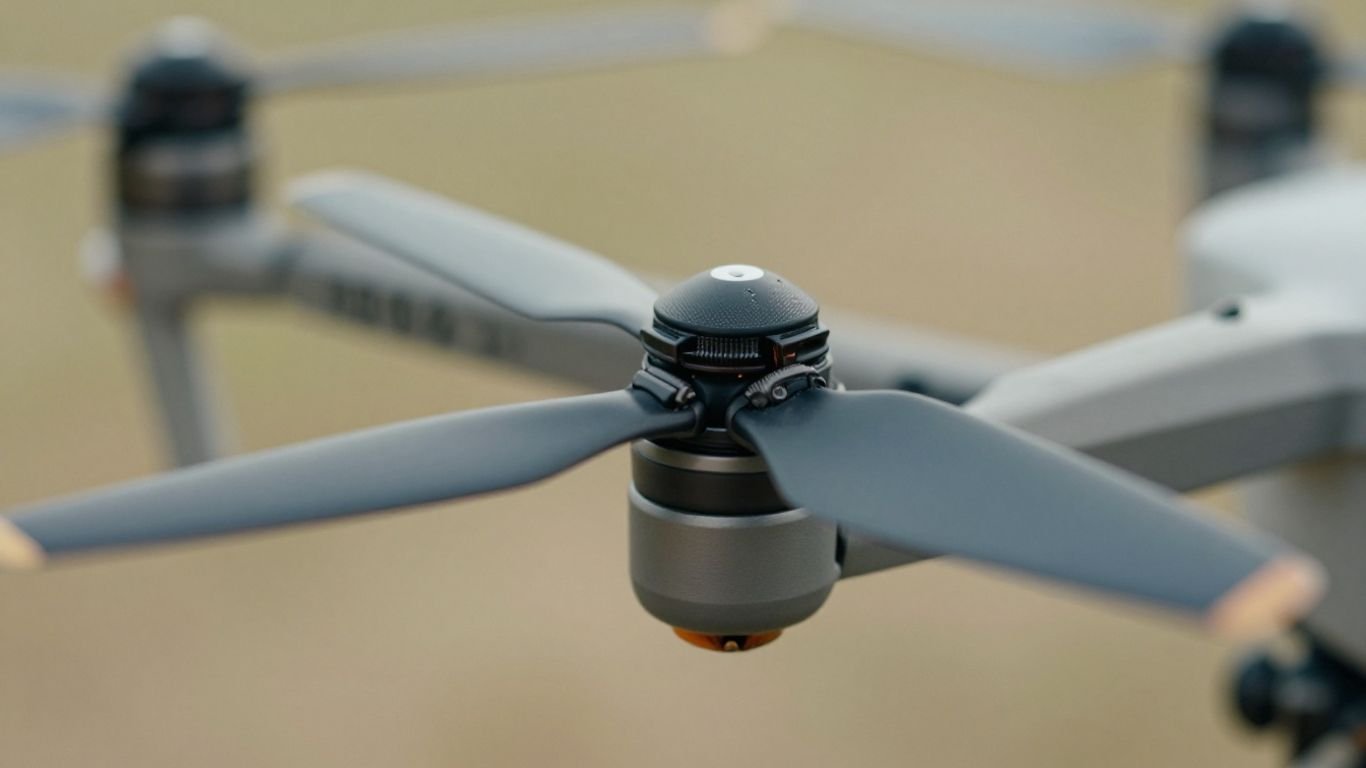
Essential Drone Propeller Maintenance: Keep Your Aircraft Flying Safely

So, you’ve got a drone, huh? Pretty cool. But like any machine, it needs a little TLC to keep it in the air and working right. We’re talking about drone propeller maintenance here, and it’s not as complicated as it sounds. Think of it like checking your car’s tires before a long drive. A little attention now can save you a whole lot of headaches later, and honestly, keep things from falling out of the sky. Let’s get into it.
Key Takeaways
- After each flight, give your drone’s propellers a good clean. Dirt and grime can build up, and a simple wipe-down with a cloth, maybe some toothpaste or alcohol, does wonders.
- Inspect your propellers closely for any signs of damage. Look for cracks, warping, or even small nicks, especially near where they attach to the drone.
- Make sure your propellers are spinning freely but are also securely attached. Loose propellers are a big no-no.
- Don’t try to fly with damaged propellers. It’s way cheaper to buy new ones than to repair a drone that’s crashed because of a broken prop.
- Regular drone propeller maintenance is key to safe flights, preventing unexpected issues, and keeping your drone’s camera footage smooth and steady.
Post-Flight Propeller Care
Alright, so you’ve landed your drone. Awesome! But don’t just toss it in the case and forget about it. The propellers are the unsung heroes of your flight, and they need a little TLC after every adventure. Taking a few minutes to care for them now can save you a lot of headaches later.
Cleaning Your Drone Propellers
Think of your propellers like the tires on a car. They pick up all sorts of gunk – dust, dirt, maybe even some grass clippings. This stuff isn’t just unsightly; it can actually throw off the balance of your props. A simple cleaning routine is key. I usually grab a small brush, like an old toothbrush, and gently scrub away any grime. Some folks swear by a bit of toothpaste for this, which can be surprisingly effective, followed by a wipe-down with a slightly damp microfiber cloth. Just make sure they’re completely dry afterward. Others prefer using isopropyl alcohol for a quick clean. Whatever method you choose, just be thorough.
Inspecting For Damage
This is where you really need to pay attention. After cleaning, give each propeller a good once-over. Look for any signs of trouble, especially around the hub where the propeller connects to the motor. You’re hunting for chips, nicks, or any kind of warping. A quick way to check for warping is to gently bend the propeller – if it feels unusually stiff or makes any weird noises, that’s a red flag. Even tiny nicks can cause vibrations that aren’t good for your drone’s motors or your camera footage. If you find anything suspicious, it’s better to be safe than sorry.
Replacing Worn Propellers
So, you found some damage. What now? Honestly, if you spot any cracks, significant warping, or even just a bunch of small nicks that look like they’ve weakened the material, it’s time to swap them out. New propellers aren’t usually that expensive, especially when you compare the cost to a potential crash caused by a failing prop. It’s a small investment to protect your drone, which is probably worth a lot more. Think of it as routine maintenance, like changing the oil in your car. You wouldn’t ignore a bald tire, right? The same logic applies here. You can find replacement propellers for most models online, and it’s a pretty straightforward swap.
Propeller integrity is non-negotiable. These spinning blades are what keep your drone airborne. Any compromise in their structure can lead to unpredictable flight behavior and, in the worst case, a complete loss of control. Always err on the side of caution when assessing their condition.
Here’s a quick rundown of what to look for:
- Cracks: Especially near the hub or along the edges.
- Warping: Does the blade look bent or twisted?
- Chips/Nicks: Any missing material, particularly on the leading edge.
- Scratches: Deep scratches can weaken the material.
Remember, adhering to regulations is also part of safe drone operation. Make sure you’re aware of FAA rules for your area before you fly.
Pre-Flight Propeller Checks
Before you even think about powering up your drone, a quick check of the propellers is a must. It might seem like a small thing, but these spinning blades are what keep your drone in the air. A quick visual inspection can save you a lot of trouble later on.
Ensuring Propellers Spin Freely
First off, give each propeller a gentle spin with your finger. They should rotate smoothly without any resistance or binding. If you feel any grittiness or stiffness, it could mean dirt or debris has gotten into the motor shaft, or worse, the motor bearings are starting to go. This kind of friction can cause the motor to overheat or lose power during flight. You want them to feel free and unhindered. If you notice any issues, clean the area around the motor shaft carefully. Sometimes a blast of compressed air is all that’s needed, but if the problem persists, it might be time for a closer look at the motor itself.
Checking For Tight Connections
Next, make sure all propellers are securely attached to their respective motor shafts. Give each one a gentle tug to see if there’s any play. Most drone propellers use a quick-release system or screw-in mechanism. For quick-release types, ensure they’re properly seated and locked. For screw-in types, double-check that they’re snug but don’t overtighten, as this can strip the threads. Loose propellers are incredibly dangerous and can fly off mid-flight. It’s a good idea to get familiar with your drone’s specific propeller attachment method. You can find a free preflight checklist designed for drone pilots that covers these details here.
Verifying Propeller Condition
Take a good look at the propellers themselves. Are there any nicks, chips, cracks, or signs of warping? Even small imperfections can throw off the balance of the propeller, leading to vibrations. These vibrations don’t just make your footage shaky; they can also put extra stress on your motors and other drone components over time. Run your fingers along the edges to feel for any rough spots you might not see. If you find any damage, it’s best to replace the propeller immediately. Think of it like this:
Propellers are the most direct link between your drone’s motors and the air. Any compromise in their structure means compromised flight performance and safety.
Here’s a quick rundown of what to look for:
- Cracks: Especially near the hub or along the blades.
- Chips or Gouges: Any missing material can affect aerodynamics.
- Warping: Propellers should be flat and true.
- Stress Marks: Faint lines that can indicate an impending break.
If you’re unsure about a propeller’s condition, it’s always better to err on the side of caution and swap it out. You can plan your missions more effectively by understanding terrain and airspace beforehand, which is a good practice to get into before you fly.
Understanding Propeller Stress Points
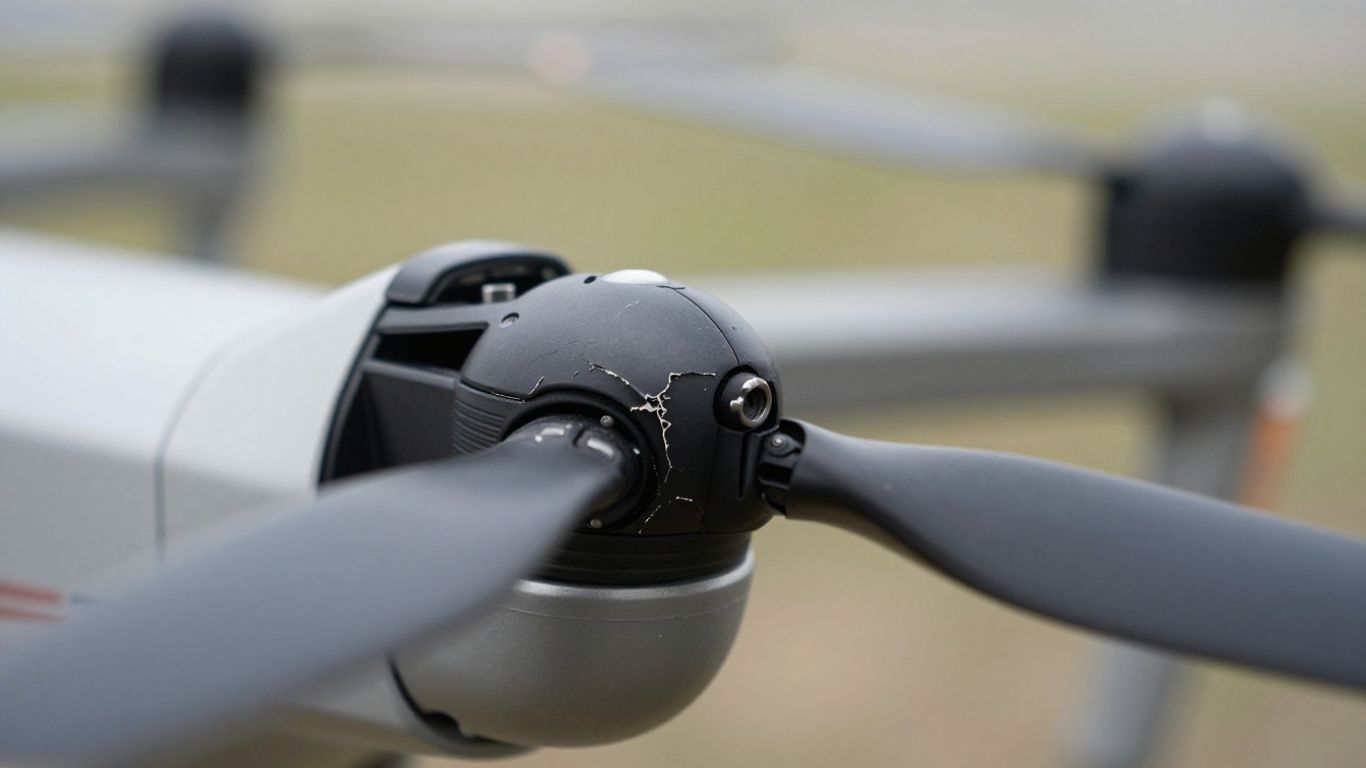
Propellers are basically the workhorses of your drone, taking a lot of punishment every time you fly. They’re constantly spinning, pushing air, and dealing with all sorts of forces. Because of this, they develop stress points that you really need to keep an eye on. Ignoring these can lead to some pretty serious problems mid-flight.
Identifying Cracks and Warping
Think of a propeller like a tiny airplane wing. It’s designed to be aerodynamic, but that design also makes it susceptible to certain kinds of damage. Cracks, especially small ones you might miss at first glance, can start at the edges or near the hub. These cracks weaken the propeller significantly. Warping is another issue; if a propeller isn’t perfectly flat, it won’t move air efficiently, and this imbalance can cause vibrations. You can often spot warping by looking down the length of the blade or by gently trying to bend it – if it feels too flexible or uneven, it’s probably warped.
Examining Near The Hub
The area where the propeller attaches to the motor, the hub, is a major stress concentration point. This is where the propeller experiences the most torque and vibration. Look closely for any signs of stress marks, tiny fractures, or even discoloration, which can indicate heat buildup. A damaged hub means the propeller isn’t securely attached, and that’s a recipe for disaster. It’s also where you’ll find the connection points, so make sure those are solid and not stripped.
Detecting Subtle Nicks
It’s not just big cracks that are a problem. Even small nicks or chips on the leading or trailing edges of the propeller blades can cause issues. These imperfections disrupt airflow, leading to reduced efficiency and increased vibration. You might not see them easily, but running your finger carefully along the edges can help you feel for any roughness or damage. These subtle nicks are often the first sign that a propeller is starting to wear out and might need replacement soon.
Propellers are constantly under strain. Even minor damage, like a small nick or a slight warp, can throw off the balance of your drone. This imbalance doesn’t just affect flight performance; it can also put extra wear on your motors and gimbal system, potentially leading to more costly repairs down the line. Regular, detailed checks are your best defense against these hidden problems.
Propeller Maintenance For Optimal Flight
Keeping your drone’s propellers in top shape is more than just a good idea; it’s pretty much the backbone of a stable and safe flight. Think of them as the wings of your drone, but spinning really fast. When they’re not right, things can go sideways, fast.
The Importance Of Propeller Integrity
Your propellers are what actually get your drone off the ground and keep it there. They’re under a lot of stress during every flight, dealing with air pressure, G-forces, and sometimes even minor bumps. If a propeller has even a tiny crack or is slightly bent, it can mess with how your drone flies. A compromised propeller can lead to unpredictable flight behavior, reduced lift, and in the worst-case scenario, a mid-air failure. This isn’t just about keeping your drone in the air; it’s about making sure it doesn’t become a falling hazard.
Preventing Vibrations Through Balance
Ever notice a slight wobble or shake during a flight? That’s often a sign of unbalanced propellers. When propellers aren’t perfectly balanced, they create vibrations. These vibrations don’t just feel weird; they can actually wear out your drone’s motors much faster than normal. Plus, those shakes can make your camera footage look shaky, even with fancy stabilization. Keeping them balanced means smoother flights and better video. You can check for balance by seeing if one blade consistently drops when you try to balance it on a finger. If it does, you might need to add a tiny bit of tape to the lighter blade until it stays put.
Maintaining Camera Stability
This ties right into the balance issue. If your propellers are vibrating, those shakes travel up through the drone’s body and right into the gimbal and camera. Even the best camera stabilization systems can only do so much. Small, consistent vibrations can cause a subtle blur or jitter in your footage that you might not notice until you review it later. For professional work, this is a big no-no. Keeping your propellers clean and free of damage helps minimize these vibrations, leading to cleaner, more professional-looking shots. It’s a simple step that makes a huge difference in the final output, especially if you’re looking to build a successful drone career.
Propellers are constantly working, pushing air to create lift. Even small imperfections, like a tiny nick on the edge or a slight warp, can disrupt airflow. This disruption forces the motor to work harder and can create turbulence that affects the entire aircraft’s stability. Regular checks and prompt replacement of any damaged props are non-negotiable for safe and effective drone operation.
Essential Drone Propeller Maintenance Practices
Keeping your drone’s propellers in good shape is a big deal. It’s not just about making sure it flies, but making sure it flies well and safely. Think of them as the wings of your drone; if they’re not right, nothing else matters.
Regular Cleaning And Grime Removal
After you land, give those propellers a quick once-over. Dirt, dust, and even tiny bugs can stick to them. A soft brush, maybe even an old toothbrush, works wonders. Some folks like using a bit of toothpaste to scrub them clean, then wipe them down with a damp microfiber cloth. Just make sure they’re totally dry before the next flight. You can also use isopropyl alcohol for a good clean. Don’t forget to clean around the motor mounts too, but be careful not to get gunk into the moving parts. Compressed air can help here, but don’t blast it too close or too long, as it can cause problems.
Structural Integrity Checks
This is where you really look for trouble. After cleaning, gently bend each propeller. You’re looking for any signs of cracks, especially near the hub where they connect. Warping is another thing to watch out for. Even a tiny nick on the edge can throw things off balance. If you find anything – a crack, a bend, a significant chip – don’t mess around. It’s always better to replace a damaged propeller than risk a crash. Investing in new props is a small price to pay compared to losing your entire drone. You can check out drone parts if you need replacements.
Prompt Replacement Of Damaged Parts
This ties right into the structural checks. If a propeller looks questionable, it needs to go. It’s not worth the gamble. Unbalanced or damaged propellers can cause vibrations that shake your whole drone. This not only makes your footage shaky, but it also puts extra strain on your motors and other components, leading to premature wear. It’s a domino effect you want to avoid. Here’s a quick rundown of what to look for:
- Cracks: Especially near the hub or along the blades.
- Warping: If the propeller doesn’t look flat and true.
- Chips or Gouges: Significant damage to the leading or trailing edges.
- Excessive Wear: If the propeller material looks degraded or brittle.
Ignoring minor propeller damage is a common mistake. What seems like a small issue can quickly escalate into a major problem during flight, potentially leading to a complete loss of control. Treat every inspection with the seriousness it deserves.
Maintaining your propellers is a key part of keeping your drone flying reliably. It’s a simple process, but doing it consistently makes a huge difference. For those who use their drones for more specialized tasks, like fishing, this attention to detail is even more important to avoid losing valuable equipment over the water.
Propeller System Health
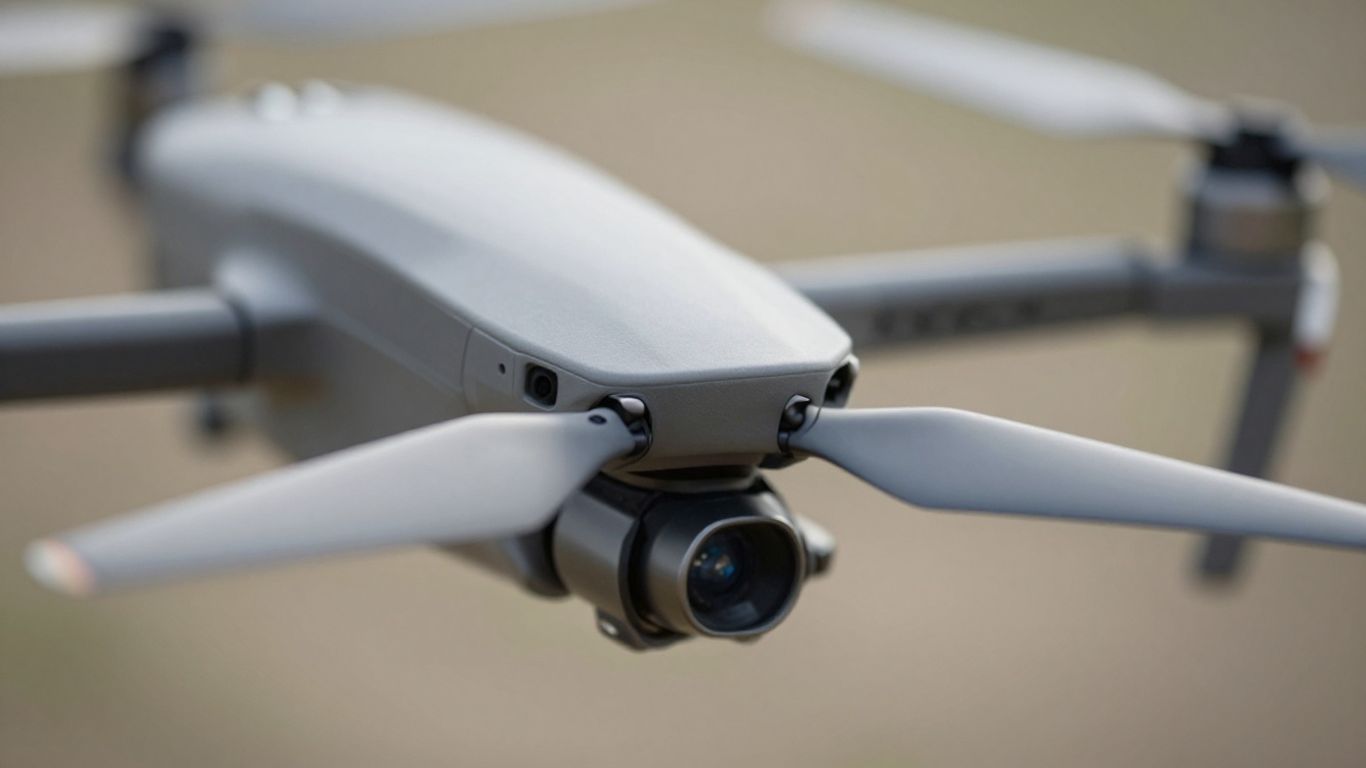
Think of your drone’s propellers as the wings of a bird or the blades of a fan. They’re the parts that actually push the air around to get your drone off the ground and keep it there. Because they’re spinning so fast and dealing with all that air resistance, they’re under a lot of stress. A failure in just one propeller can lead to a total loss of control. It’s not something to take lightly.
Propellers As Thrust Generators
These spinning blades are what create the force, or thrust, needed to lift your drone. The faster they spin, the more air they push down, and the higher your drone goes. The design of the propeller, its size, and its pitch all play a big role in how much thrust it can generate and how efficiently your drone flies. It’s a delicate balance of physics at play here.
Consequences Of Propeller Failure
If a propeller breaks, chips, or detaches mid-flight, your drone will immediately lose lift on that side. This imbalance can cause it to tumble uncontrollably. Imagine a car losing a wheel at highway speed – it’s that kind of sudden, catastrophic event. This is why keeping them in top shape is so important, especially if you’re into something like drone racing.
Non-Negotiable Inspections
Before every flight, you absolutely need to give your propellers a good once-over. It might seem like a small thing, but it’s a critical step. Here’s what to look for:
- Cracks and Chips: Run your fingers along the edges and surfaces. Even tiny nicks can cause problems.
- Warping: Make sure they look straight and haven’t bent out of shape.
- Loose Connections: Check that they’re securely attached to the motor. A wobbly propeller is a dangerous propeller.
- Debris: Clean off any dirt or mud that might have stuck to them.
Even subtle damage, like a small nick on the edge, can throw off the propeller’s balance. This imbalance creates vibrations that don’t just affect your flight; they can also put extra wear on your motors and even shake your camera, making your footage blurry. It’s a domino effect of potential issues.
Regularly checking your propellers, along with other parts like your batteries, is key to safe and reliable drone operation. It’s a small investment of time that can save you a lot of trouble and expense down the line, helping you capture better shots for your wildlife photography or just enjoy a smooth flight.
Wrapping Up: Keep Those Props Spinning Right
So, we’ve gone over why keeping your drone’s propellers in good shape is a big deal. It’s not just about making sure your drone flies straight; it’s about safety, plain and simple. A little bit of cleaning after each flight, a quick check for any nicks or cracks, and making sure they’re on tight can save you a whole lot of trouble – and money – down the road. Think of it like checking the tires on your car before a long trip. It’s a small step, but it makes a huge difference. Keep up with this simple maintenance, and you’ll be enjoying smooth flights for a long time to come.
Frequently Asked Questions
Why is cleaning my drone’s propellers after each flight so important?
After every flight, dirt and grime can stick to your drone’s propellers. Cleaning them with a small brush and maybe some toothpaste or alcohol helps remove this gunk. This keeps them in good shape and ensures they work properly for your next flight. It’s like brushing your teeth to keep them healthy!
What should I look for when checking my drone’s propellers for damage?
When you check your propellers, gently bend them to see if there are any tiny cracks or if they look bent out of shape, especially near where they attach to the drone. Also, feel along the edges for any nicks or chips. If you find any damage, it’s best to replace them right away to avoid problems.
How often should I replace my drone’s propellers?
You should replace your propellers as soon as you notice any damage, like cracks, warping, or significant nicks. Even if they look okay, propellers can wear out over time. Keeping a logbook of your flights can help you remember when you last replaced them, so you can follow the manufacturer’s advice.
What happens if my drone’s propellers aren’t balanced correctly?
If your propellers aren’t balanced, they can cause the drone to shake or vibrate a lot. This shaking can make your drone’s parts wear out faster and can also make your camera footage shaky, even if the camera has special stabilizers. It’s important to make sure they are balanced for smooth flying.
Can a damaged propeller really cause my drone to crash?
Yes, absolutely. Propellers are what make your drone fly by pushing air down. If a propeller breaks or isn’t working right mid-flight, it can cause the drone to lose lift and control very quickly, leading to a crash. It’s a small part, but it’s super important for safety.
Besides propellers, what other parts of my drone need regular checks?
You should also check the drone’s body for cracks, make sure the arms holding the propellers are secure, and check that the wires aren’t frayed. Don’t forget the battery – look for any swelling or damage. Also, check your remote control and carrying case to make sure everything is in good working order for safe flights.